
Quick Cast Chrome 插件, crx 扩展下载
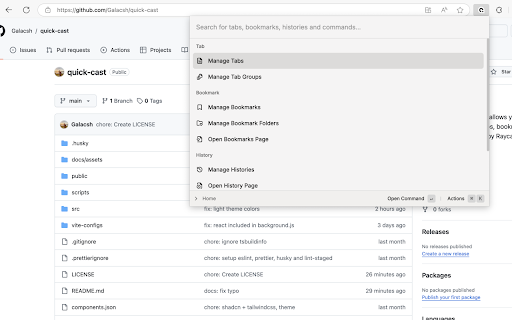
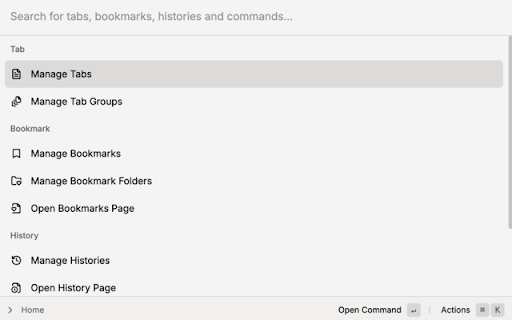
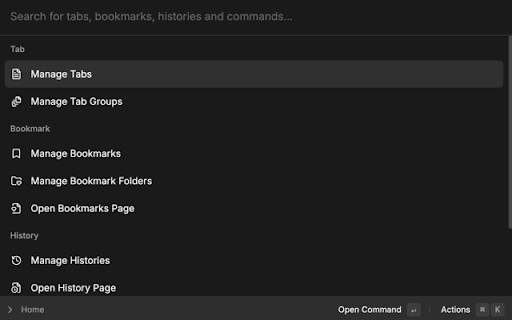
Chrome extension that allows you to quickly control your tabs, bookmarks and histories.
Quick Cast is a Chrome extension that allows you to quickly control your tabs, bookmarks and histories. Inspired by Raycast, a productivity tool for macOS, I tried to make a similar tool for Chrome.
After installing the extension, you can open the extension's popup by pressing:
- Ctrl+Shift+P on Windows
- Cmd+Shift+P on macOS
Then you can type commands to control your tabs, bookmarks and histories.
| 分类 | 🛠️工具 |
| 插件标识 | bpkfodmkmlchbojfaaflodgambakbehi |
| 平台 | Chrome |
| 评分 |
★★★★☆
4.5
|
| 评分人数 | 466 |
| 插件主页 | https://chromewebstore.google.com/detail/quick-cast/bpkfodmkmlchbojfaaflodgambakbehi |
| 版本号 | 0.0.3 |
| 大小 | 615KiB |
| 官网下载次数 | 213 |
| 下载地址 | |
| 更新时间 | 2024-10-07 00:00:00 |
CRX扩展文件安装方法
第1步: 打开Chrome浏览器的扩展程序
第2步:
在地址栏输入: chrome://extensions/
第3步: 开启右上角的【开发者模式】
第4步: 重启Chrome浏览器 (重要操作)
第5步: 重新打开扩展程序管理界面
第6步: 将下载的crx文件直接拖入页面完成安装
注意:请确保使用最新版本的Chrome浏览器
同类插件推荐
Quick Cast
Chrome extension that allows you to quickly contro

书签 & 历史记录 管理器
开源的小插件。 可以快速搜索书签、历史记录。开源的小插件,源码: https://github.co

Tabbar - Bookmark, History, & Tab Manager
Supercharge Chrome with commands, shortcuts, and m

Omni - Bookmark, History, & Tab Manager
Supercharge Chrome with commands, shortcuts, and m