Page to design Chrome 插件, crx 扩展下载
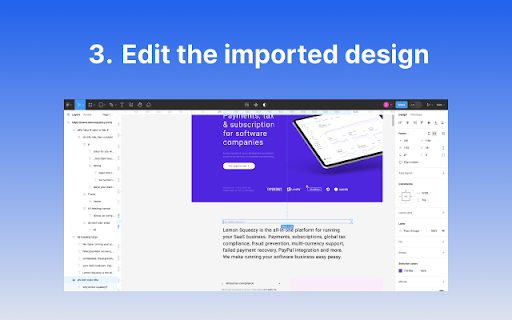
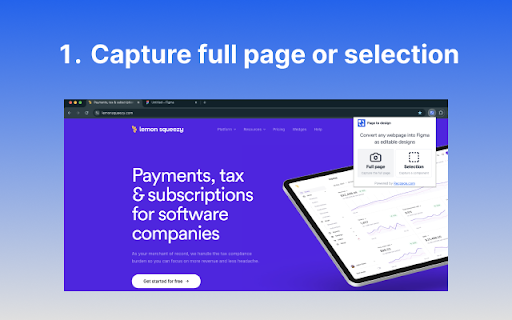
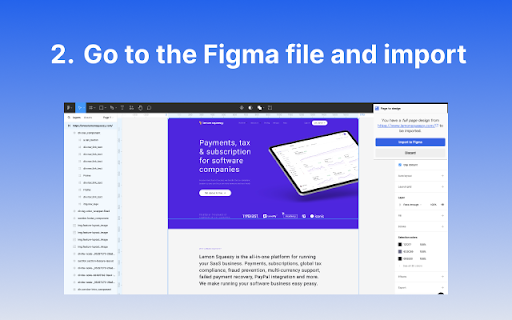
Convert any webpage into Figma as editable designs.
Page to design lets you can smoothly and quickly capture the full page or selection of any webpage's design and save it to Figma to redesign. without building from scratch.When you come across a beautiful webpage and want to replicate the full page design for reference; when you need a specific component, image, or icon from another webpage; when you need to redesign a webpage without a design draft, and so on, this extension makes it easy for you to handle such tasks effortlessly, boosting your design process.
All conversion operations are processed locally on your device, including image capture. Therefore, whether it's for public, login-required, or locally deployed web pages, this solution is versatile and completely privacy-focused.
How it works:
1. Download the 'Page to design' browser extension
2. go to any page you would like to import into Figma
3. Click on the extension , choose to capture the full page or selection
4. Once the capture is complete, go to Figma with the current browser, open an existing design file or create a new one
5. In the design file, a prompt will show. Select import, and you're done.
| 分类 | 📝工作流程与规划 |
| 插件标识 | bppiipkgkacfbhihojbedicaampmcici |
| 平台 | Chrome |
| 评分 |
★★★★☆
4.3
|
| 评分人数 | 2575 |
| 插件主页 | https://chromewebstore.google.com/detail/page-to-design/bppiipkgkacfbhihojbedicaampmcici |
| 版本号 | 0.4.4 |
| 大小 | 134KiB |
| 官网下载次数 | 217 |
| 下载地址 | |
| 更新时间 | 2024-06-12 00:00:00 |
CRX扩展文件安装方法
第1步: 打开Chrome浏览器的扩展程序
第2步:
在地址栏输入: chrome://extensions/
第3步: 开启右上角的【开发者模式】
第4步: 重启Chrome浏览器 (重要操作)
第5步: 重新打开扩展程序管理界面
第6步: 将下载的crx文件直接拖入页面完成安装
注意:请确保使用最新版本的Chrome浏览器