
Web Harvester for Sitecore Chrome 插件, crx 扩展下载


Tool to harvest and import any website's content into Sitecore
'Web Harvester for Sitecore' is a Chrome Extension that enables content administrators/developers to harvest and import any website's content into Sitecore.
The Extension intends to solve the current content migration problem that requires developers to build unique solution to migrate content into Sitecore depending on the content's source location/tool. This Chrome Extension provides a tech-agnostic solution for content migrations and improves productivity, efficiency and accuracy.
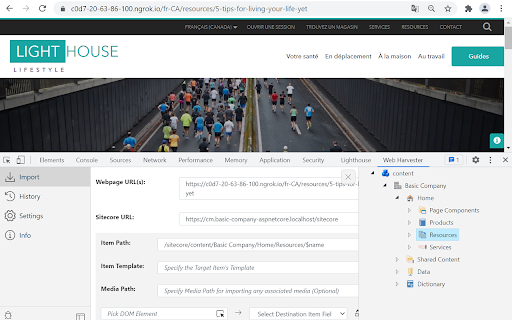
The Extension introduces a DevTools Panel which allows users to import urls by selecting the target item location & template in Sitecore and enables them to map the Webpage's DOM contents with desired Sitecore template fields. To migrate a website's content into Sitecore, you must right-click on the intended website page and select 'Inspect Element' or press 'F12' to launch Developer Tools and navigate to 'Web Harvester' panel.
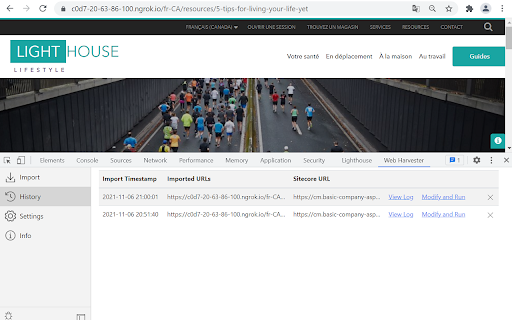
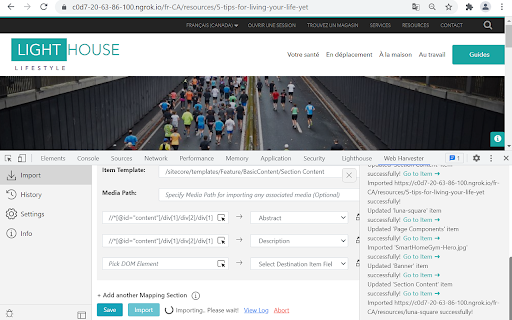
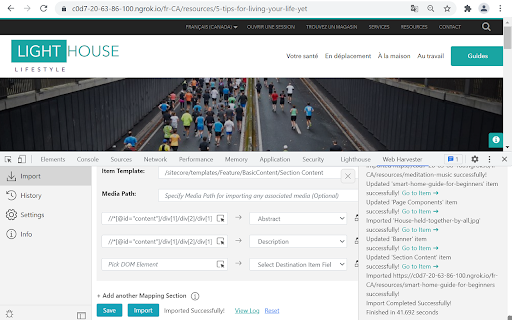
The Extension is highly customizable; allows users to edit the DOM paths, configure replace options for item name and individual field values thereby supporting different field types like Mulilist, Image, Link, Droplist etc. in Sitecore. The Extension allows importing multiple urls(that follow the same page DOM structure) at once and intended urls can be fetched directly from Sitemap. Import operation includes more flexible options like abort, logs, etc. Additionally, past imports can be found in the History tab and can be rerun again with/without modifications.
Thank you for using this extension!
| 分类 | 📝工作流程与规划 |
| 插件标识 | capmoeppijlopehoccajgabbmpmmacnc |
| 平台 | Chrome |
| 评分 |
★★★★☆
4
|
| 评分人数 | 892 |
| 插件主页 | https://chromewebstore.google.com/detail/web-harvester-for-sitecor/capmoeppijlopehoccajgabbmpmmacnc |
| 版本号 | 1.1 |
| 大小 | 245KiB |
| 官网下载次数 | 31 |
| 下载地址 | |
| 更新时间 | 2021-11-12 00:00:00 |
CRX扩展文件安装方法
第1步: 打开Chrome浏览器的扩展程序
第2步:
在地址栏输入: chrome://extensions/
第3步: 开启右上角的【开发者模式】
第4步: 重启Chrome浏览器 (重要操作)
第5步: 重新打开扩展程序管理界面
第6步: 将下载的crx文件直接拖入页面完成安装
注意:请确保使用最新版本的Chrome浏览器
同类插件推荐
Web Harvester for Sitecore
Tool to harvest and import any website's conte

CiteReady Web Importer
CiteReady Web ImporterCiteReady Web Importer allow

Easy web scraper by Databar
A simple, no-code extension to collect data from a

Easy Web Data Scraper
Free & No-code scraper tool can automatically