
D365 SidePanel Dev Tools Chrome 插件, crx 扩展下载
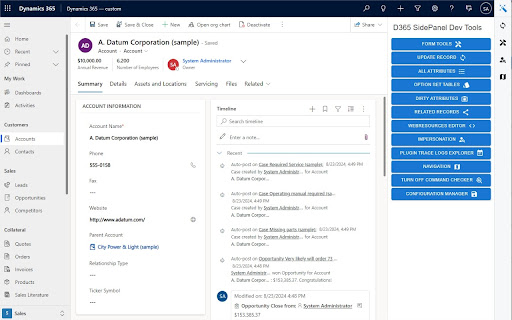
The Dynamics 365 SidePanel Tools extension is a powerful tool that can improve your development/testing experience in Dynamics 365.…
The Dynamics 365 SidePanel Tools extension is a powerful tool that can improve your development/testing experience in Dynamics 365. This extension adds a panel on the right side of Dynamics 365 pages, giving you easy access to a variety of tools that can display useful information or modify data.
Here are the tools available:
• Form Tools: These tools allow you to modify form fields, including showing or hiding logical names, enabling or disabling fields, and filling fields with random data.
• Update Records: This tool allows you to update any field of any record in your environment, including bulk updates.
• All Attributes: This tool provides a convenient way to quickly access and view all the data in your open record.
• Option Set Tables: This tool provides a quick way to view all option sets associated with the currently open entity.
• Dirty Fields: This tool displays the fields that have been modified but not yet saved.
• Related Records: This tool displays all relationships associated with the selected record.
• Web Resource Editor: This tool adds an editor directly to your browser, allowing you to easily modify web resources and live test your changes in local.
• Impersonation: This tool gives you the ability to impersonate any user in your environment.
• Plugin Trace Log Explorer: This tool provides a simplified and better way to view and analyze logs for custom plugins and workflows.
• Navigation: This tool provides quick access to various essential resources, such as solutions, form editor, advanced find, environments, Azure portal, and security settings.
• Command Checker: This tool enables or disables the debugger for model application ribbons.
• Configuration Manager: This tool allows you to configure which SidePanel tools open automatically when a page loads.
| 分类 | 💻开发者工具 |
| 插件标识 | cbcpebonnklbnemkgkmofpkebonjifff |
| 平台 | Chrome |
| 评分 |
★★★★☆
4.8
|
| 评分人数 | 105 |
| 插件主页 | https://chromewebstore.google.com/detail/d365-sidepanel-dev-tools/cbcpebonnklbnemkgkmofpkebonjifff |
| 版本号 | 0.9.7.2 |
| 大小 | 16.59MiB |
| 官网下载次数 | 1000 |
| 下载地址 | |
| 更新时间 | 2024-10-03 00:00:00 |
CRX扩展文件安装方法
第1步: 打开Chrome浏览器的扩展程序
第2步:
在地址栏输入: chrome://extensions/
第3步: 开启右上角的【开发者模式】
第4步: 重启Chrome浏览器 (重要操作)
第5步: 重新打开扩展程序管理界面
第6步: 将下载的crx文件直接拖入页面完成安装
注意:请确保使用最新版本的Chrome浏览器
同类插件推荐

D365 Ribbon Debug Activator
Activates the ribbon debug option in Dynamics 365.

Power Roles
Extension that allows you to record user actions a
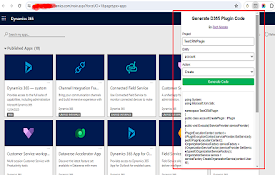
D365 Plugin Code Generator
Generate plugin code based on entity name and acti

Level up for Dynamics 365/Power Apps
Quickly perform advanced/hidden actions in Dynamic
PrettifyMyWebApi for Microsoft Dataverse
Open any row in the Dataverse Web Api and supercha

D365-UI-Test-Designer
A browser extension for designing and capturing D3
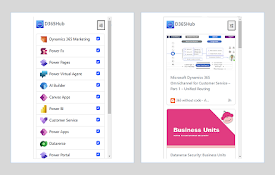
D365: Dynamics 365 & Power Platform updates
Stay updated with Microsoft Dynamics 365 and Power

Dynamics 365 Record Counter
Dynamics 365 Web Api based counter for both OData
D365 SidePanel Dev Tools
The Dynamics 365 SidePanel Tools extension is a po
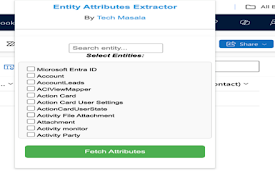
Dynamics CRM Entity Attributes Extractor
Extract and view entity attributes from Dynamics C

Toolshed for Power Platform / Dynamics 365
Utility Bot for Power Platform / Dynamics 365 Deve

c! Dynamics 365 Helper
Small and usefull js-functions to manipulate Dynam

AutoReview for Power Automate
Create Automated Review of Power Automate Cloud Fl