
Yoriichi Tsugikuni Demon Slayer Gameograf Chrome 插件, crx 扩展下载

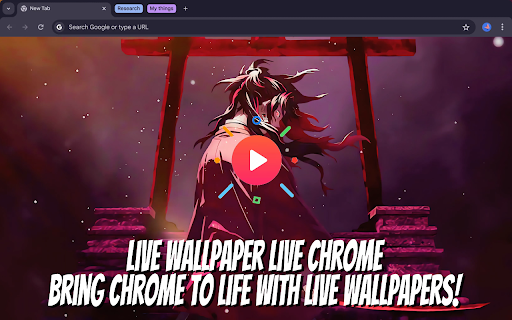
Channel the power of Yoriichi Tsugikuni from Demon Slayer with a breathtaking live wallpaper!
Step into the world of the greatest swordsman in Demon Slayer history with this incredible Chrome extension! Yoriichi Tsugikuni, the first user of Sun Breathing and the legendary hero who nearly defeated Muzan Kibutsuji, comes alive on your new tab. With dynamic live wallpapers, this extension captures his unmatchable strength, grace, and tragic backstory, reminding you of the unparalleled legacy he left behind.
Check out the powerful features of this extension:
? Live Wallpaper
Experience Yoriichi’s epic presence in motion. Watch as his Sun Breathing technique illuminates your screen with dynamic visuals of his fierce battle and legendary skill.
?️ Website Shortcuts
Access your most-used websites with ease by adding customizable shortcuts, so you can quickly navigate to all your favorite sites without missing a beat.
? Google Search Bar
Search effortlessly for Demon Slayer content, Yoriichi-related information, or anything else with the built-in Google search feature.
? Time & Date Display
Stay organized with the sleek and simple time and date display, keeping you on track while surrounded by Yoriichi’s timeless legacy.
With Yoriichi Tsugikuni as your browser’s inspiration, every tab will remind you of his unmatched strength and indomitable spirit. This extension is a must-have for fans who admire Yoriichi’s skill and his profound impact on the Demon Slayer world.
For more extensions: https://gameograf.com/
Contact us: https://gameograf.com/contact-us/
Privacy policy: https://gameograf.com/privacy-policy/
| 分类 | 🎉趣味休闲 |
| 插件标识 | cgcklmmmmijgeammfcclflabbjnmijif |
| 平台 | Chrome |
| 评分 |
☆☆☆☆☆
0
|
| 评分人数 | 30 |
| 插件主页 | https://chromewebstore.google.com/detail/yoriichi-tsugikuni-demon/cgcklmmmmijgeammfcclflabbjnmijif |
| 版本号 | 1.2.1 |
| 大小 | 30.41MiB |
| 官网下载次数 | 100 |
| 下载地址 | |
| 更新时间 | 2024-12-05 00:00:00 |
CRX扩展文件安装方法
第1步: 打开Chrome浏览器的扩展程序
第2步:
在地址栏输入: chrome://extensions/
第3步: 开启右上角的【开发者模式】
第4步: 重启Chrome浏览器 (重要操作)
第5步: 重新打开扩展程序管理界面
第6步: 将下载的crx文件直接拖入页面完成安装
注意:请确保使用最新版本的Chrome浏览器
同类插件推荐

Tengen Uzui Demon Slayer Gameograf
Feel the explosive energy of Tengen Uzui from Demo

Zenitsu Agatsuma Demon Slayer Gameograf
Feel the electrifying energy of Zenitsu Agatsuma f

Inosuke Hashibira Live Wallpaper New Tab
Unleash the wild energy of Inosuke Hashibira from

Kokushibo Demon Slayer Gameograf
Unleash the terrifying power of Kokushibo from Dem

Yoriichi Tsugikuni Demon Slayer Gameograf
Channel the power of Yoriichi Tsugikuni from Demon

Mugen Train Demon Slayer Gameograf
Relive the thrill of the Mugen Train arc from Demo

Demon Slayer Infinity Castle Gameograf
Enter the heart of the Demon Slayer world with the

Demon Slayer Live Wallpaper New Tab
Celebrate the powerful bond between TDemon Slayer

Rengoku Vs Akaza Demon Slayer Gameograf
Relive the intense battle between Rengoku and Akaz

Giyu Tomioka Demon Slayer Gameograf
Embrace the power of Giyu Tomioka from Demon Slaye

Demon Slayer Kimetsu No Yaiba New Tab
Are you ready to dive into the mesmerizing world o

Rengoku Live Wallpaper New Tab
Ignite your new tab with the fierce spirit of Reng

Demon Slayer Cursor
Demon Slayer custom cursor for chrome. New browser