
Desktop Screen Recorder Chrome 插件, crx 扩展下载
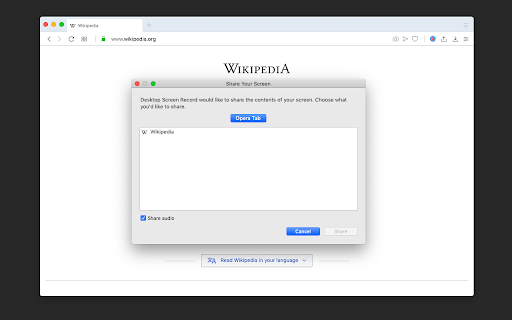
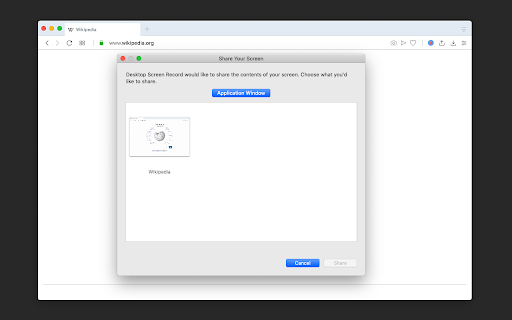
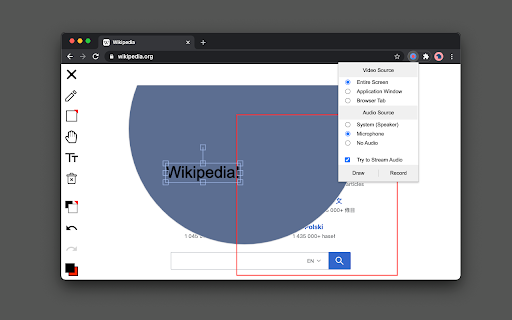
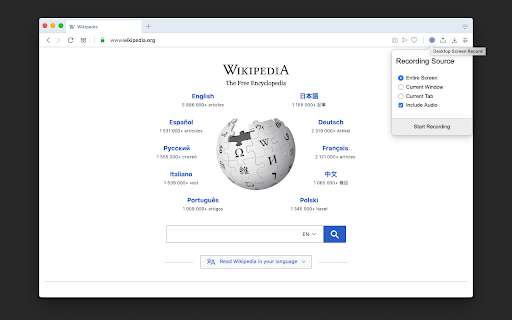
Record the computer's screen, entire application or a single browser tab with audio support
Desktop Screen Record is a powerful recording tool that captures the screen for sharing content.
This extension has three modes:
1. Capture the entire screen. This mode supports monitor selection if more than one display is detected.
2. Application window capturing. It only captures one application's window, and the video size would be equal to the application's window size.
3. Browser tab mode. The extension captures the content of one browser tab only. You can optionally switch to a different tab during the recording
This extension can record in HD quality if the recording is placed on a high-quality LCD monitor. Also, it supports audio recording. The user can either ask the extension to record the system sound (whatever is playing in the background) or use the user's microphone device for recording. The output format of the media files is the WebM format, which is the best choice for media sharing due to its compression level and real-time rendering.
Features:
1. It is possible to use this extension to record long screen captures since it directly writes chunks to the disk while recording.
2. Recover recordings in case of a browser crash.
3. Use a built-in tool to draw or write during the presentation
4. Record audio from speaker, microphone, or both
5. Adjust video quality (HD, Medium, Low, or Default)
6. Define global shortcuts to pause, resume, or stop recording.
7. Record as long as you need. There is no watermark on the recording
8. Writes the stream directly to the disk. There is no need for recovery after a possible browser crash.
| 分类 | 👥社交 |
| 插件标识 | chjblpopkoelbkolfboniibdhjmlkphf |
| 平台 | Chrome |
| 评分 |
★★★☆☆
3
|
| 评分人数 | 1 |
| 插件主页 | https://chromewebstore.google.com/detail/desktop-screen-recorder/chjblpopkoelbkolfboniibdhjmlkphf |
| 版本号 | 0.3.1 |
| 大小 | 277KiB |
| 官网下载次数 | 10000 |
| 下载地址 | |
| 更新时间 | 2023-05-08 00:00:00 |
CRX扩展文件安装方法
第1步: 打开Chrome浏览器的扩展程序
第2步:
在地址栏输入: chrome://extensions/
第3步: 开启右上角的【开发者模式】
第4步: 重启Chrome浏览器 (重要操作)
第5步: 重新打开扩展程序管理界面
第6步: 将下载的crx文件直接拖入页面完成安装
注意:请确保使用最新版本的Chrome浏览器
同类插件推荐

RCI Screen Recorder
tabsRecording Screen With audio by RCILiveStream a

DigiUnity - 屏幕录像和标注工具
Chrome 最强大的屏幕录像机。 捕获,注释,编辑等。Show, tell and share i

Desktop Screen Recorder
Record the computer's screen, entire applicati

VCR Screen-Share
Record your screen with audio.Capture full-screen

Screen Recorder
Free Simple tool for high quality video capturing

Screen Recorder
Record your computer's screen with just one cl

ApowerREC Screen Recorder
随心所欲,一键录制!ApowerREC是一款超级智能的录屏工具,它可以随时录制你电脑桌面上的一切活动

Shazoom Video Recorder & Messaging Tool
Capture your screen or camera, share your video an

Reelia - Screen Recorder & Editor
Record screen, website and webcam to a video - fre

REC – high quality screen video Recorder
Free Simple tool for high quality video capturing

Screen Recorder for Google Chrome™
Screen Recorder is a software that allows you to c

截图和屏幕录制器
一个有效的截图和屏幕录制工具,可以快速分享屏幕,捕获整个页面并编辑。捕獲、記錄、註釋並立即共享螢幕截
截圖工具
屏幕捕获和屏幕录制工具以记录屏幕。充分利用您的屏幕捕获!免费截取屏幕快照。Introducing t