
Textmetrics Chrome 插件, crx 扩展下载

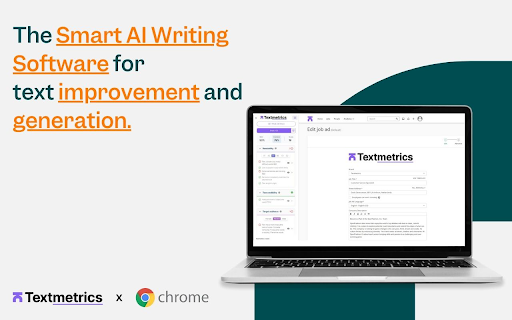
The Smart AI Writing Software for Text Improvement
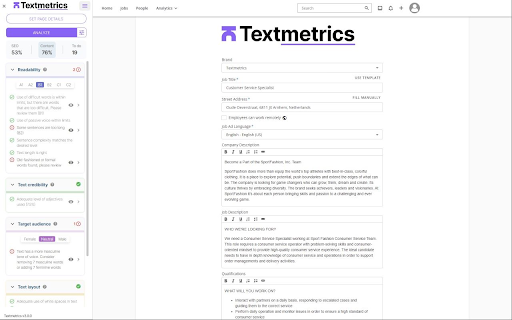
For everyone who writes, with people and goals in mind. Your custom made platform for text optimization, with smart AI writing software. Textmetrics customizes the platform for every customer. Which means:
✔️ Your own tone of voice is implemented
✔️ Your own SEO rules
✔️ Your own branding and employer branding
And everything else you need to write all texts in the highest quality. Everything you need in one platform, with all kinds of plugins and integrations to make sure you can use Textmetrics everywhere you write.
The Features
✍️ Inclusive Writing - make every reader feel included.
✔️ Gender-inclusive language
✔️ Non-discriminatory language
✔️ D&I Guidelines
⚡ Consistent High Quality - Make sure all written communication is consistent and unified.
✔️ Your tone of voice
✔️ Your SEO rules
✔️ Your branding
?️ Understandable writing - Make sure your text is not too difficult to read and speak to your complete target audience.
✔️ The B1 language level
✔️ Translate your text to any language
✔️ Write without mistakes
Is it Free?
You can request a free test version of the software on the website of Textmetrics. For a custom made platform a paid subscription is needed. Pricing depends on usage and organization size. We are happy to look together with you for the best pricing that fits your needs - Get in touch!
How does it work?
Download the free Textmetrics plugin for Chrome. Log in with your Textmetrics account. Do you not have an account yet? Contact Textmetrics for more info. The extension will read along, analyze the text, and provide real-time improvement suggestions, including inclusive writing, preventing biases, and many more.
| 分类 | 🛠️工具 |
| 插件标识 | cjggdkhenhgccghmgbjclonbdfdpmfje |
| 平台 | Chrome |
| 评分 |
★★★★☆
4.8
|
| 评分人数 | 227 |
| 插件主页 | https://chromewebstore.google.com/detail/textmetrics/cjggdkhenhgccghmgbjclonbdfdpmfje |
| 版本号 | 3.4.4 |
| 大小 | 2.78MiB |
| 官网下载次数 | 8000 |
| 下载地址 | |
| 更新时间 | 2025-02-22 00:00:00 |
CRX扩展文件安装方法
第1步: 打开Chrome浏览器的扩展程序
第2步:
在地址栏输入: chrome://extensions/
第3步: 开启右上角的【开发者模式】
第4步: 重启Chrome浏览器 (重要操作)
第5步: 重新打开扩展程序管理界面
第6步: 将下载的crx文件直接拖入页面完成安装
注意:请确保使用最新版本的Chrome浏览器
同类插件推荐

Textmetrics
The Smart AI Writing Software for Text Improvement

Eskritor: Smart Writing Assistant
Smart Writing Asistant. Automatically generate tex

Smart Paste
A browser extension to automate data entry tasks w

Compose AI: AI-powered Writing Tool
Accelerate your writing with AIGenerate any text u