
Enable Javascript for Chrome Chrome 插件, crx 扩展下载
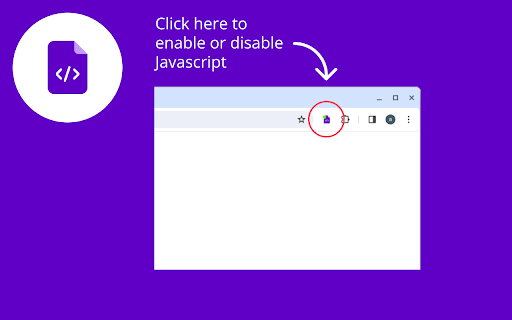
Easily switch JavaScript on and off in the Chrome Browser with the help of a Enable JavaScript for Chrome.
? Enhance Your Browsing Experience with the "Enable JavaScript" Chrome Extension ?
Are you tired of intrusive pop-ups, annoying advertisements, and pesky modal windows cluttering your browsing experience? Look no further – the "Enable JavaScript" Chrome extension is here to revolutionize the way you browse the web.
With just the click of a button, you can effortlessly toggle JavaScript on or off in your Chrome browser, giving you unparalleled control over your online experience. Whether you're reading articles, conducting research, or developing websites, this extension empowers you to customize your browsing environment to suit your needs.
Enhanced Reading Experience
Ever been frustrated by pop-up ads interrupting your reading flow? Say goodbye to distractions with the "Enable JavaScript" extension. By disabling JavaScript, you can enjoy a seamless reading experience free from intrusive elements.
Ad-Free Browsing
Tired of being bombarded with advertisements at every turn? Take back control of your browsing with the "Enable JavaScript" extension. Simply turn off JavaScript to eliminate unwanted ads and enjoy a cleaner, ad-free browsing experience.
Streamlined Development
For web developers, the ability to toggle JavaScript on and off with ease is invaluable. Use the "Enable JavaScript" extension to quickly test website functionality, debug code, and optimize performance without hassle.
Customize Your Experience
With the "Enable JavaScript" extension, the power is in your hands. Tailor your browsing experience by enabling or disabling JavaScript as needed. Whether you're blocking modal windows, bypassing paywalls, or enhancing security, this extension puts you in control.
Say goodbye to browsing frustrations and hello to a smoother, more customizable web experience with the "Enable JavaScript" Chrome extension. Download now and unlock a world of possibilities at your fingertips.
| 分类 | 🛠️工具 |
| 插件标识 | cjnafdjegogoloapmkbdahggmnnlfmep |
| 平台 | Chrome |
| 评分 |
★★★★☆
4.3
|
| 评分人数 | 186 |
| 插件主页 | https://chromewebstore.google.com/detail/enable-javascript-for-chr/cjnafdjegogoloapmkbdahggmnnlfmep |
| 版本号 | 1.0.0 |
| 大小 | 15.0KiB |
| 官网下载次数 | 152 |
| 下载地址 | |
| 更新时间 | 2024-03-29 00:00:00 |
CRX扩展文件安装方法
第1步: 打开Chrome浏览器的扩展程序
第2步:
在地址栏输入: chrome://extensions/
第3步: 开启右上角的【开发者模式】
第4步: 重启Chrome浏览器 (重要操作)
第5步: 重新打开扩展程序管理界面
第6步: 将下载的crx文件直接拖入页面完成安装
注意:请确保使用最新版本的Chrome浏览器
同类插件推荐

Pumpkin's Right Click Enable
It allows you to right-click and drag the mouse, a

JavaScript Toggle On and Off
以简单的方式切换JavaScript引擎(内联、数据URL、远程和外部)的开启和关闭此扩展程序在所有

Enable JavaScript
An easily way to turn ON/OFF website's JavaScr
Enable Javascript for Chrome
Easily switch JavaScript on and off in the Chrome