
Export ChatGPT Conversation Chrome 插件, crx 扩展下载
Export ChatGPT conversations and save to Notion
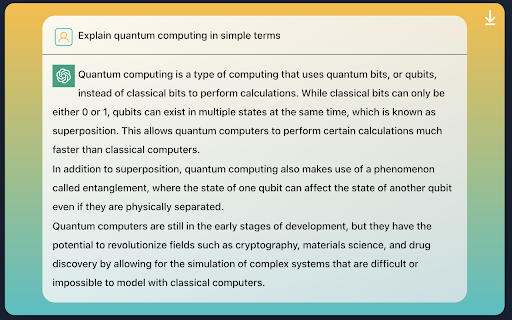
Introducing the "Export ChatGPT Conversation" app, a convenient tool for saving and organizing your conversations with ChatGPT, the cutting-edge AI language model developed by OpenAI. This app allows you to easily export your conversations with ChatGPT and save them directly to Notion, the all-in-one workspace for note-taking, project management, and more.
With the "Export ChatGPT Conversation" app, you can easily capture and preserve the insights and information you gain through your conversations with ChatGPT. The app automatically formats your conversation into a clean and organized format, ready to be saved to your Notion workspace.
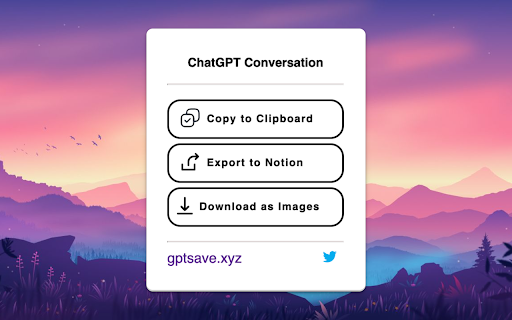
Exporting your conversation to Notion is simple and straightforward. Simply connect your Notion account to the app and choose the page where you want to save your conversation. Then, initiate a conversation with ChatGPT and start capturing valuable information and insights. When you're ready to save your conversation, just click the "Export to Notion" button and your conversation will be automatically added to your selected Notion page, fully formatted and ready for future reference.
With the "Export ChatGPT" app, you'll never have to worry about losing track of the valuable information you gain through your conversations with ChatGPT. Whether you're using ChatGPT for research, knowledge gathering, or just for fun, this app makes it easy to save and organize your conversations for future reference. Try it out today and see how it can help you make the most of your conversations with ChatGPT!
| 分类 | 📝工作流程与规划 |
| 插件标识 | clgidpflecgaaabfcmdmkcgebpbadgoc |
| 平台 | Chrome |
| 评分 |
★★★★☆
4.6
|
| 评分人数 | 460 |
| 插件主页 | https://chromewebstore.google.com/detail/export-chatgpt-conversati/clgidpflecgaaabfcmdmkcgebpbadgoc |
| 版本号 | 1.4 |
| 大小 | 51.13KiB |
| 官网下载次数 | 10000 |
| 下载地址 | |
| 更新时间 | 2023-04-04 00:00:00 |
CRX扩展文件安装方法
第1步: 打开Chrome浏览器的扩展程序
第2步:
在地址栏输入: chrome://extensions/
第3步: 开启右上角的【开发者模式】
第4步: 重启Chrome浏览器 (重要操作)
第5步: 重新打开扩展程序管理界面
第6步: 将下载的crx文件直接拖入页面完成安装
注意:请确保使用最新版本的Chrome浏览器
同类插件推荐
Export ChatGPT Conversation
Export ChatGPT conversations and save to NotionInt
ChatGPT转PDF
使用ChatGPT转PDF扩展,可以将ChatGPT对话轻松保存为PDF,聊天转为PDF,并打印。轻

保存 ChatGPT DALL·E-3 对话记录到 Notion
一键保存 ChatGPT 对话到 Notion。导出 ChatGPT 对话ChatGPT保存到Not

删除所有聊天记录
使用 ChatGPT 删除所有聊天记录的工具,适用于 Windows 和 Mac,帮助您保持 Cha