
Safe Sound for YouTube Chrome 插件, crx 扩展下载

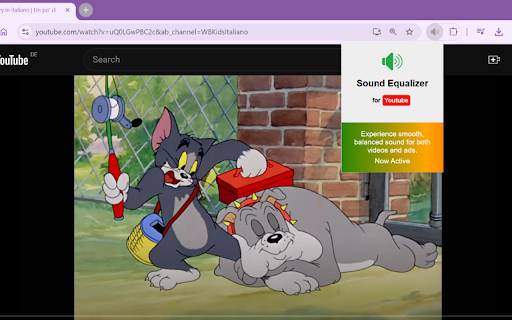
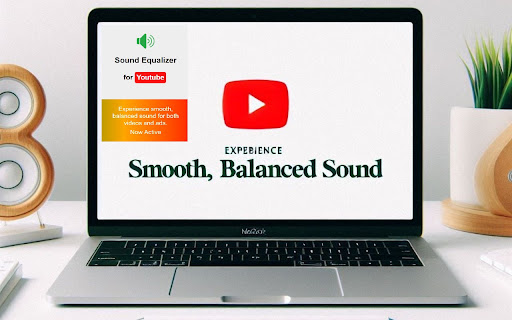
Balances sound levels between YouTube videos and ads, and reduces sudden high noises.
YouTube Sound Equalizer - Smooth & Balanced Audio Experience
Are you tired of sudden loud noises or jarring sound differences between YouTube videos and ads? The YouTube Sound Equalizer is here to enhance your listening experience, offering seamless, balanced audio for both YouTube videos and ads.
Key Features:
Automatic Sound Leveling: Balances the volume between videos and ads, so you never get startled by sudden loud sounds.
Noise Reduction: Reduces distracting background noises, ensuring clearer, more enjoyable audio playback.
Loudness Control: Lowers extreme sounds like explosions, screams, or car horns, preventing unpleasant surprises.
Real-Time Equalization: Adjusts sound levels in real-time for smoother transitions and consistent audio across content.
User-Friendly: Once installed, the equalizer runs automatically whenever you watch YouTube, with no manual setup required.
With its sleek, modern interface and cutting-edge audio management features, YouTube Sound Equalizer ensures an optimized listening experience for all types of content—whether it’s your favorite music video or a video ad. Enjoy the sound clarity and balance you deserve!
Why Choose YouTube Sound Equalizer?
No More Volume Jumps: Whether watching videos or ads, this extension ensures consistent audio.
Simple, Clean Interface: Runs automatically in the background, with visual feedback showing when it's active.
Perfect for Any Content: Whether it's quiet dialogue or sudden action scenes, the extension smooths the audio for an optimal experience.
Install YouTube Sound Equalizer today and make your YouTube watching more enjoyable with balanced, smooth sound—no more surprises!
| 分类 | 🛠️工具 |
| 插件标识 | cmdbnigjjcjfijdlfhnjadlebiadklgj |
| 平台 | Chrome |
| 评分 |
★★★★☆
4.6
|
| 评分人数 | 336 |
| 插件主页 | https://chromewebstore.google.com/detail/safe-sound-for-youtube/cmdbnigjjcjfijdlfhnjadlebiadklgj |
| 版本号 | 1.0.1 |
| 大小 | 26.59KiB |
| 官网下载次数 | 86 |
| 下载地址 | |
| 更新时间 | 2024-10-20 00:00:00 |
CRX扩展文件安装方法
第1步: 打开Chrome浏览器的扩展程序
第2步:
在地址栏输入: chrome://extensions/
第3步: 开启右上角的【开发者模式】
第4步: 重启Chrome浏览器 (重要操作)
第5步: 重新打开扩展程序管理界面
第6步: 将下载的crx文件直接拖入页面完成安装
注意:请确保使用最新版本的Chrome浏览器
同类插件推荐
YouTube Arrow Keys Fix
Fixes YouTube's inconsistent player controls.
Safe Sound for YouTube
Balances sound levels between YouTube videos and a

Video AdBlock for YouTube™ Extension
Removes all YouTube™ video and text ads. Lightweig

YouTube Ads Silencer
Mute and Skip YouTube ads with ease.Key Features: