
Control Space Chrome 插件, crx 扩展下载
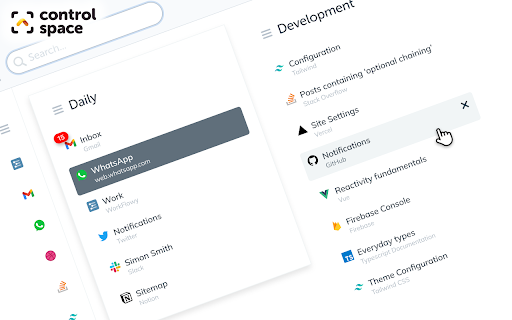
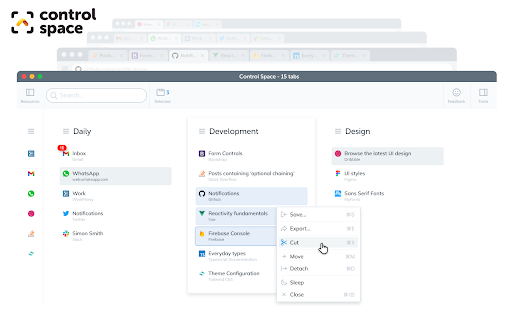

A kanban-style tab manager to browse, organise, search and switch tabs with one simple shortcut.
Control Space supports you in quickly navigating a crazy amount of tabs without it ever feeling overwhelming. Whether you're juggling a complex project, planning a foreign getaway, or just like things at your fingertips, you can do all of this in a beautiful, delightful and solid UI.
Navigation:
- A single hotkey, Ctrl+Space, to access all your tabs in a single unified space
- Type to filter, find or search for any open or closed tab, or previously-visited site, or bookmark
- Recent Tabs let you browse and navigate to previous tabs in the order you accessed them
- History and Bookmarks integration means a single search shows open or closed tabs
Organisation:
- Reorder tabs and windows, move them, navigate to them or close them
- Name and order windows to make organisational groups
- Select multiple tabs then drag and drop them where you like
- Copy and paste tabs and bookmarks like files on your desktop
Optimisation:
- Full keyboard navigation means you rarely need to take your hands off the keyboard
- Shortcut keys for almost everything make navigation a snap
- Context menus put relevant functionality right where you expect it
Information:
- Tab titles and website URLs are optimised to make them easy to read
- If you've audio playing, you'll see which tab is playing it
- If you've notifications, you'll see those too
Tools:
- Copy URLs from tabs, windows, or the entire workspace
- Drag and drop documents or text containing URLs to open them in tabs
- Save memory by sending tabs or entire windows to sleep, and wake them later
| 分类 | 📝工作流程与规划 |
| 插件标识 | cnhhkgejafpmpbfodmebbmbhgkemleca |
| 平台 | Chrome |
| 评分 |
★★★★☆
4.6
|
| 评分人数 | 55 |
| 插件主页 | https://chromewebstore.google.com/detail/control-space/cnhhkgejafpmpbfodmebbmbhgkemleca |
| 版本号 | 20.0.3.431 |
| 大小 | 3.48MiB |
| 官网下载次数 | 210 |
| 下载地址 | |
| 更新时间 | 2025-02-20 00:00:00 |
CRX扩展文件安装方法
第1步: 打开Chrome浏览器的扩展程序
第2步:
在地址栏输入: chrome://extensions/
第3步: 开启右上角的【开发者模式】
第4步: 重启Chrome浏览器 (重要操作)
第5步: 重新打开扩展程序管理界面
第6步: 将下载的crx文件直接拖入页面完成安装
注意:请确保使用最新版本的Chrome浏览器
同类插件推荐

WFx for WorkFlowy
Create intuitive text shortcuts to your favorite W

WorkFlowy Link Preview
Link Previewer for https://workflowy.com/This Goog

Control Space
A kanban-style tab manager to browse, organise, se

Pau | Bookmark Manager
Organize your bookmarks fast and easy with Pau boo

WorkFlowy Clipper
Quickly save a bookmark or jot down a quick note i

WorkFlowy Plus
Get most out of WorkFlowyWorkflowy Plus will bring

Paperback: a minimal WorkFlowy theme
A minimal theme for WorkFlowy on the web.A cleaner

Clip To WorkFlowy
Bookmark websites in WorkFlowyv2.1.0: Add support

Blixem Tab Manager
Organize, save & share your tabs for easy coll

WorkFlowy MultiFlow
Multi-column view for WorkFlowyWorkFlowy MultiFlow

Kollate
The only app you will ever need for bookmarking an

myReach Web Clipper
Save the things that matter on the web in an inter

tabOS - Tab management, ChatGPT 4o, Docs/Images, RSS/YouTube/Reddit feeds
Enhance your New tab/Sidebar - Manage tabs, ChatGP