
Compare PDF Tool Chrome 插件, crx 扩展下载
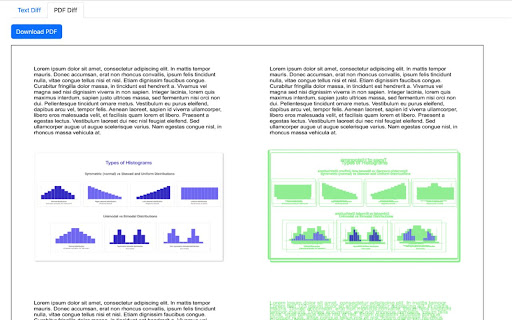
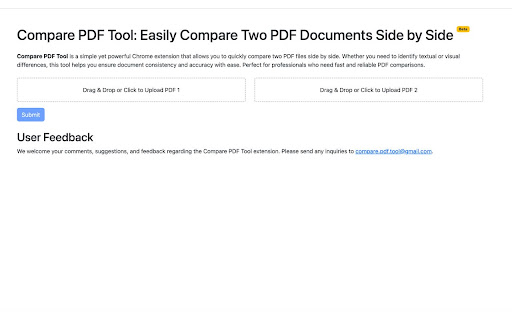
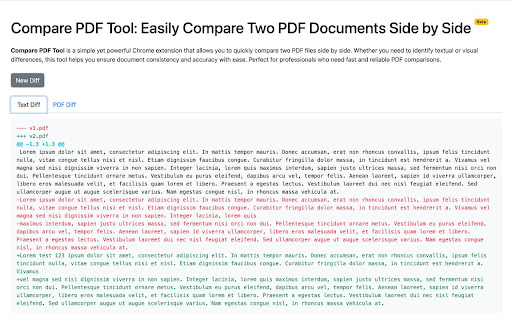
Easily compare two PDF files side by side to identify text and visual differences.
Compare PDF Tool
Effortlessly Compare Two PDF Files!
The Compare PDF Tool is a powerful and user-friendly Chrome extension designed to help you quickly and accurately compare two PDF documents side by side. Whether you’re reviewing contracts, academic papers, or any other important documents, this tool makes it easy to identify differences in content, formatting, and visuals.
Key Features:
Side-by-Side Comparison: View two PDF files simultaneously, allowing for easy analysis of changes and discrepancies.
Highlight Differences: Instantly spot textual changes and visual variations with clear highlights, making document reviews faster and more efficient.
User-Friendly Interface: Simple and intuitive design ensures that you can start comparing PDFs right away without a steep learning curve.
Privacy-Focused: Your data and files are not stored or shared, ensuring a secure and confidential experience.
Why Choose Compare PDF Tool? Whether you're a student, professional, or anyone who frequently works with PDF documents, the Compare PDF Tool saves you time and improves accuracy. Say goodbye to manual comparison and let our extension do the heavy lifting for you!
Download Now and make your PDF comparisons seamless!
| 分类 | 🛠️工具 |
| 插件标识 | cobkffhdclimlamjmdkchlcemhbpppka |
| 平台 | Chrome |
| 评分 |
☆☆☆☆☆
0
|
| 评分人数 | 20 |
| 插件主页 | https://chromewebstore.google.com/detail/compare-pdf-tool/cobkffhdclimlamjmdkchlcemhbpppka |
| 版本号 | 1.0.2 |
| 大小 | 549KiB |
| 官网下载次数 | 203 |
| 下载地址 | |
| 更新时间 | 2024-10-14 00:00:00 |
CRX扩展文件安装方法
第1步: 打开Chrome浏览器的扩展程序
第2步:
在地址栏输入: chrome://extensions/
第3步: 开启右上角的【开发者模式】
第4步: 重启Chrome浏览器 (重要操作)
第5步: 重新打开扩展程序管理界面
第6步: 将下载的crx文件直接拖入页面完成安装
注意:请确保使用最新版本的Chrome浏览器
同类插件推荐

File Diff
The File Diff Chrome Extension provides a seamless

Asana Extension
With this extension you can see your incomplete ta
Compare PDF Tool
Easily compare two PDF files side by side to ident

Compare Text
This extension allows you to compare / diff text j

Text Comparison Tool
Compare and analyze differences between two text i

Diff Checker
Diffchecker 比较文本并找到两个文本文件之间的差异。只需粘贴您的文件并点击查找差异!Dif

Check Cosmetic Ingredients | Curious Chloride
Avoid harmful chemicals in your products with this

Playstream
Stream your favorite music from aroud the webListe

Prompt Menu
提示语侧边栏菜单,可自定义预设提示语。提示语侧边栏菜单,可自定义预设提示语。 功能: - 浮动侧边

PDF Color Inverter
Inverts colors on PDFsMake PDFs easier on the eyes

合并 PDF
PDF Combiner - 在数秒内将多个 PDF 文件合并为一个文档。安全免费地在线和离线合并

Cashdo - קאשדו
קאשדו - מקבלים קאשבק מהחנויות המובילות בארץ ובעולם