
AutoIncognito Chrome 插件, crx 扩展下载
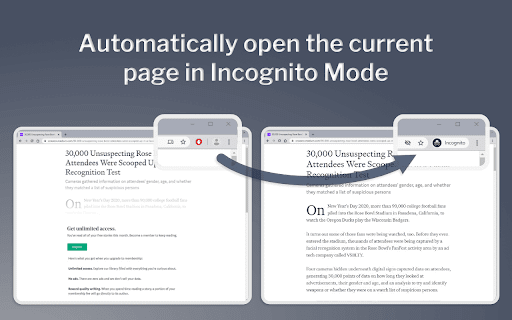
Open the current page in Incognito mode
Some websites (ex. news articles and blog posts) won't allow you to view the content unless you:
a) Pay for a subscription
b) Wait for your allocated number of "free page views" to reset (ex. each new month)
Going Incognito will often allow you to view the webpage. This extension saves the time it takes to copy the existing URL, open a new Incognito window, and then visit the page.
Note - be sure to "pin" this icon next to the URL bar such that it is always visible. This allows for the single-click visiting of the page in Incognito mode.
| 分类 | 🛠️工具 |
| 插件标识 | cokhhlcdmplnjnjgfcibjeijgmpefekk |
| 平台 | Chrome |
| 评分 |
☆☆☆☆☆
0
|
| 评分人数 | 1 |
| 插件主页 | https://chromewebstore.google.com/detail/autoincognito/cokhhlcdmplnjnjgfcibjeijgmpefekk |
| 版本号 | 1.2 |
| 大小 | 7.08KiB |
| 官网下载次数 | 60 |
| 下载地址 | |
| 更新时间 | 2024-04-23 00:00:00 |
CRX扩展文件安装方法
第1步: 打开Chrome浏览器的扩展程序
第2步:
在地址栏输入: chrome://extensions/
第3步: 开启右上角的【开发者模式】
第4步: 重启Chrome浏览器 (重要操作)
第5步: 重新打开扩展程序管理界面
第6步: 将下载的crx文件直接拖入页面完成安装
注意:请确保使用最新版本的Chrome浏览器
同类插件推荐

HideMe
Automatically opens sites in Icognito-ModeSome pag
Incognito click shorcut
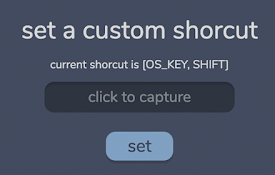
allows you to set a shorcut + click to open link i

Incognito Toggle
Switches between incognito and regular browsingThi

Open Incognito
By turning on this incognito chrome web extension,

AutoIncognito
Open the current page in Incognito modeSome websit

Incognito Tab
Modify and custom newtab pageIntroducing the Chrom

Incognito Launcher
Quick Incognito LauncherOpen your current tab or h

Unread Tab
Flags unvisited/unread (opened in the background)

Open tab in incognito
This extension will open the current tab in incogn

Incognito Mode
Creates an incognito popup with the omnibox hidden

新的隐身窗口
提供对安全隐身模式的快速访问。只需单击一下即可打开新的隐身窗口。 在面板和上下文菜单(可选)中添加“

Go Incognito!
Open current page in incognito mode (shortcut CTRL

Context Lookups
This extension adds configurable lookup options fo