
Functional JSON viewer Chrome 插件, crx 扩展下载


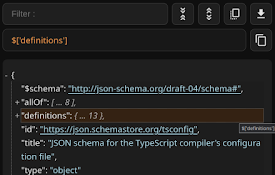
Modern JSON formatter and explorer.
Why to use:
- Foldable & filterable & focusable nodes
- (Shift-)Tab navigation
- Show node path on focus & hover
- Keymaps (Vim inspired)
- Clickable links
- Light & dark theme
- Converting JSON
- Screenshot (JSON to image .jpeg)
---
Functionality:
- Filter nodes (text or RegExp)
- Collapse all nodes
- Expand all nodes
- Save JSON
- Copy JSON
- Copy node
- Copy node path
- Switch formatted & raw data
- Sticky panels
---
Convert JSON to:
- JSON schema
- Typescript interfaces (.d.ts)
- Golang structs (.go)
---
Keymaps:
h | ArrowLeft - move focus left (parent node)
j | ArrowDown - move focus down (next sibling)
k | ArrowUp - move focus up (previous sibling)
l | ArrowRight - move focus right (child node)
c - collapse all child nodes
e - expand all child nodes
y - copy node
p - copy node path
---
Tips:
On large file, better search:
1. Click collapse all
2. Use native browser search (Ctrl+f)
3. Browser will auto expand matched nodes
---
Code:
https://github.com/diogenesofweb/fjv
| 分类 | 💻开发者工具 |
| 插件标识 | cokkmplppnaigoodkkjopoblfaelibab |
| 平台 | Chrome |
| 评分 |
★★★★☆
4.6
|
| 评分人数 | 1874 |
| 插件主页 | https://chromewebstore.google.com/detail/functional-json-viewer/cokkmplppnaigoodkkjopoblfaelibab |
| 版本号 | 0.0.12 |
| 大小 | 54.79KiB |
| 官网下载次数 | 169 |
| 下载地址 | |
| 更新时间 | 2024-07-25 00:00:00 |
CRX扩展文件安装方法
第1步: 打开Chrome浏览器的扩展程序
第2步:
在地址栏输入: chrome://extensions/
第3步: 开启右上角的【开发者模式】
第4步: 重启Chrome浏览器 (重要操作)
第5步: 重新打开扩展程序管理界面
第6步: 将下载的crx文件直接拖入页面完成安装
注意:请确保使用最新版本的Chrome浏览器
同类插件推荐
Functional JSON viewer
Modern JSON formatter and explorer.Why to use: -
JsonDiscovery
Browser extension that changes the way you're

Virtual Json Viewer
JSON browser extension with virtual DOM, search an
JSON Formatter
Automatic URL Encoder, Decoder tool with JSON Form