
Random Posture Exercises Chrome 插件, crx 扩展下载
Random Posture-focused exercises and stretches. From the makers of PostureFix.
Introducing Random Posture Exercises, the must-have Chrome extension brought to you by the creators of PostureFix!
Maintaining proper posture in the digital age can be a real challenge, especially when spending long hours on the computer. We understand the discomfort that can arise from prolonged poor posture, with those nagging neck and back pains becoming all too familiar. We also recognize the information overload that can happen when you try to search for "good posture exercises" online.
But fret not, because we've taken on the heavy lifting for you!
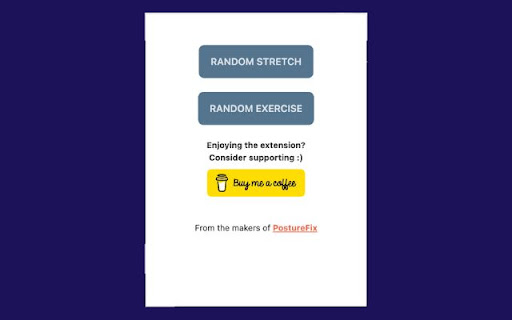
With Random Posture Exercises, achieving better posture and avoiding those persistent aches and pains has never been easier. Simply click the "Stretch" or "Exercise" button to access a randomly selected posture-improving movement. These exercises are designed not only to enhance your posture but also to keep you pain-free for the long term.
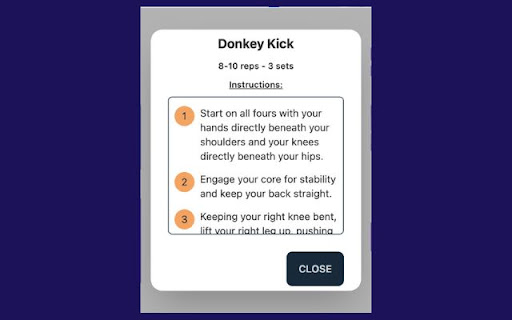
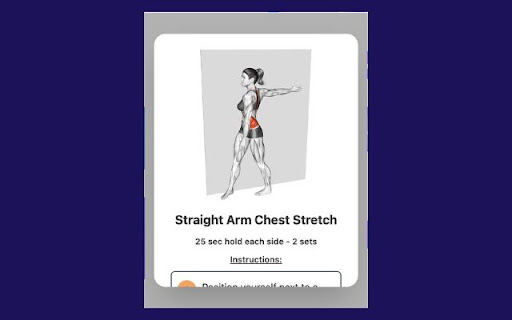
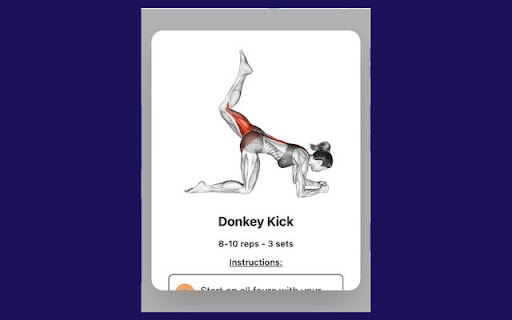
Each movement is accompanied by clear instructions on how to perform it, complete with a helpful animation to guide you along the way.
Best of all, this extension is completely free to use! If you find it valuable and wish to show your appreciation, consider supporting us with a coffee. Your generosity is greatly appreciated.
Start your journey towards improved posture and a healthier, pain-free future today with Random Posture Exercises. Thank you for choosing us to help you on your path to better well-being! Please note that all instructions and content are available in English.
| 分类 | 🛠️工具 |
| 插件标识 | cpbkmonhcfbgoaediifolmiagbnenich |
| 平台 | Chrome |
| 评分 |
☆☆☆☆☆
0
|
| 评分人数 | 1 |
| 插件主页 | https://chromewebstore.google.com/detail/random-posture-exercises/cpbkmonhcfbgoaediifolmiagbnenich |
| 版本号 | 1.0.0 |
| 大小 | 109KiB |
| 官网下载次数 | 41 |
| 下载地址 | |
| 更新时间 | 2023-09-10 00:00:00 |
CRX扩展文件安装方法
第1步: 打开Chrome浏览器的扩展程序
第2步:
在地址栏输入: chrome://extensions/
第3步: 开启右上角的【开发者模式】
第4步: 重启Chrome浏览器 (重要操作)
第5步: 重新打开扩展程序管理界面
第6步: 将下载的crx文件直接拖入页面完成安装
注意:请确保使用最新版本的Chrome浏览器
同类插件推荐
Font Genius
Identify and preview fonts used on any webpage.Int

Daily Exercise Reminder
This extension reminds you to exercise twice a day

ChatGPT History Blur
Blur the ChatGPT history on chat.openai.comChatGPT

Inspirational Motivation - Positive Quotes
Transform your browsing experience with our new Ch

Random Posture Exercises
Random Posture-focused exercises and stretches. Fr

StraightenUp
Remind yourself to keep good postureExtension prov

技术求职信生成器
轻松生成针对任何工作申请的求职信,使用为科技职位定制的AI,帮助您获得更多面试机会。Input yo

Rover Curiosity Cams
The latest images sent by the rover Curiosity dire

Cloudmark - Collaborative Bookmark Manager
Cloudmark is a collaborative bookmark manager that

SEO Insights
Chrome extension to know about page metrics of pag

Chramshoot Image Editor
Edit any image from your computer quickly and effi

Secure My Cookies
Secure your cookies!A Simple extension that does o

NTUCal
Add your NTU modules to your favourite calendar to