
GitHub PR Templates Chrome 插件, crx 扩展下载
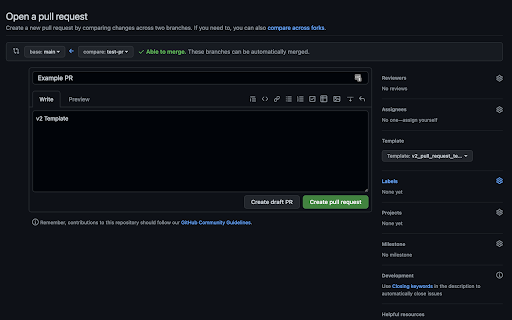
Easily apply GitHub PR templates when creating new pull requests in the browser.
When opening new pull requests on a large project, you may find yourself wanting to write descriptions that are geared towards a specific area of the project (ex. frontend vs backend).
To help with this GitHub allows users to create multiple custom pull request templates. However, they don't yet let you easily apply or switch between these templates.
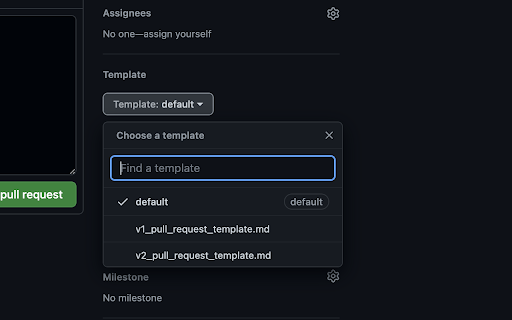
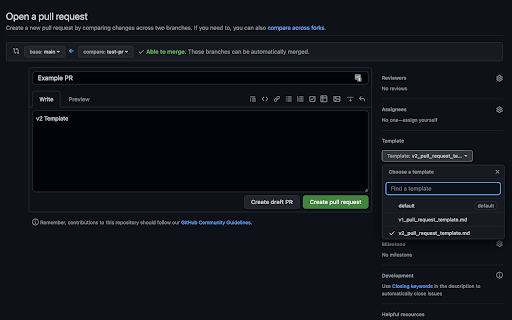
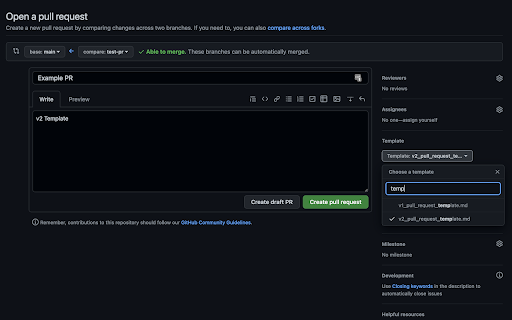
This extension helps to solve this issue by adding a dropdown in the pull request form that lets you easily switch between templates as defined by your project!
It achieves this by scraping the paths where templates are expected to be defined & rendering the results in a GitHub native feeling dropdown.
| 分类 | 💻开发者工具 |
| 插件标识 | cpebkokcapgjobabnjpnnndbgbjddool |
| 平台 | Chrome |
| 评分 |
☆☆☆☆☆
0
|
| 评分人数 | 1 |
| 插件主页 | https://chromewebstore.google.com/detail/github-pr-templates/cpebkokcapgjobabnjpnnndbgbjddool |
| 版本号 | 1.3.0 |
| 大小 | 7.92KiB |
| 官网下载次数 | 34 |
| 下载地址 | |
| 更新时间 | 2022-07-29 00:00:00 |
CRX扩展文件安装方法
第1步: 打开Chrome浏览器的扩展程序
第2步:
在地址栏输入: chrome://extensions/
第3步: 开启右上角的【开发者模式】
第4步: 重启Chrome浏览器 (重要操作)
第5步: 重新打开扩展程序管理界面
第6步: 将下载的crx文件直接拖入页面完成安装
注意:请确保使用最新版本的Chrome浏览器
同类插件推荐

LinkProfito
Connect to your audience in one stopLinkProfito sa
GitHub PR Templates
Easily apply GitHub PR templates when creating new

Github PR Template Picker
Parses a Github repo for PR templates, adding a pi

LectureLighter
Make lectures on the web faster to watchLectureLig

GitHub Name Changer
show nickname instead of id on GitHubDo you know t
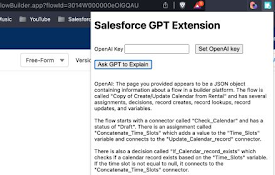
GPT Extension for Salesforce
Gets a GPT answer about a Salesforce item (flow, d

Textra
An extension to show you textual biases in digital

GA4 annotations Test
Create annotations on GA4GA4 Annotations+ is a web

SyntheticEye AI Detector
SyntheticEye provides a tool to detect potentially

Zoho CRM DevTool
Enhance Zoho CRM development environment with inte

Chatin for Problem Analysis
This extension enables Design Science Research thr

Zendesk Link Collector
Summarize links and attachmentsThis is a browser e

Team Bookmarks
Conquer Bookmark Chaos: Boost Team Efficiency. Spe