
MyToDo Chrome 插件, crx 扩展下载
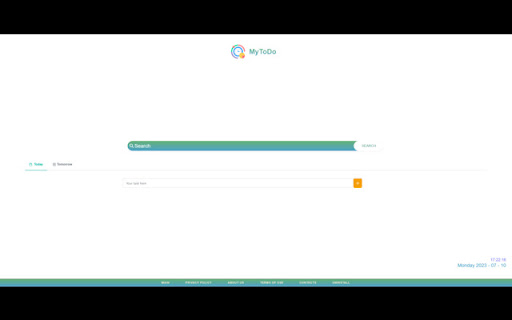
MyToDo: Keep track of time with style. A sleek and reliable Chrome extension for your daily time management needs.
Introducing "MyToDo" – an extension that helps you keep track of your daily task.
you're a click away from managing your to-do list for today and tomorrow.
You can mark a task as done or delete irrelevant tasks.
Make the most of your day!
MyToDo also has a comfortable feature to display the date and time and a custom search bar with Results by Microsoft Bing on the New tab page.
By clicking "Add to Chrome" I accept and agree to install the MyToDo Chrome extension and hereby agree to set the Chrome New Tab to that provided by the service and the Privacy policy and Terms of Use. The search results will be by Microsoft Bing.
Privacy Policy: https://serve-o-lution.com/Privacy-Policy-1/
Terms of Use: https://serve-o-lution.com/Terms/
You may uninstall the extension at any time
To remove our extension from Google Chrome:
1) Click on the three vertical dots icon in the upper right-hand corner of your Chrome browser
2) Go to "Settings"
3) In the left menu that appears, click on "Extensions"
4) From the list of installed Extensions, locate the extension you would like to uninstall
| 分类 | 📝工作流程与规划 |
| 插件标识 | daeciiljhkoilojocboppmnafpamljhp |
| 平台 | Chrome |
| 评分 |
★★★★☆
4.2
|
| 评分人数 | 31 |
| 插件主页 | https://chromewebstore.google.com/detail/mytodo/daeciiljhkoilojocboppmnafpamljhp |
| 版本号 | 1.0.2 |
| 大小 | 1.02MiB |
| 官网下载次数 | 10000 |
| 下载地址 | |
| 更新时间 | 2023-11-10 00:00:00 |
CRX扩展文件安装方法
第1步: 打开Chrome浏览器的扩展程序
第2步:
在地址栏输入: chrome://extensions/
第3步: 开启右上角的【开发者模式】
第4步: 重启Chrome浏览器 (重要操作)
第5步: 重新打开扩展程序管理界面
第6步: 将下载的crx文件直接拖入页面完成安装
注意:请确保使用最新版本的Chrome浏览器
同类插件推荐

Chrome版Todoist
使用Chrome版Todoist管理邮件Todoist被The Verge评为“当前最佳任务清单”,

时间管理者
一个简单的工作时间记录器。使用这个Chrome扩展程序跟踪任务,提高生产力,并保持井井有条。? Ti

Provent: Pomodoro, New Tab & Website Blocker
The all-inclusive, customizable productivity time
MyToDo
MyToDo: Keep track of time with style. A sleek and