
CodeKitty AI - Chat with any Github repository! Chrome 插件, crx 扩展下载
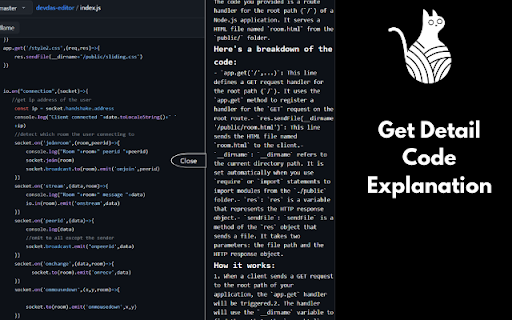

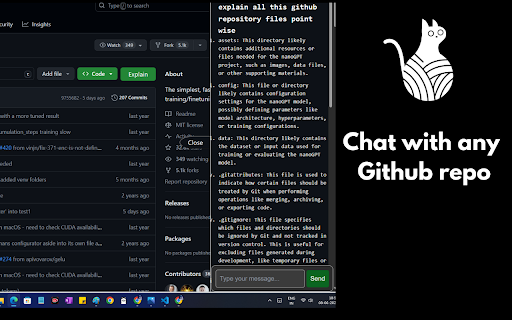
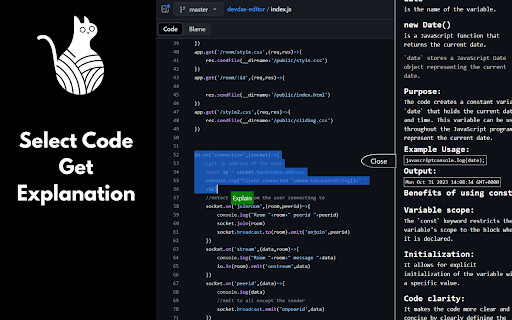
Understand large Github codebases ,repositories with CodeKitty AI!
Introducing CodeKitty AI: Chat with your Github Repository
CodeKitty AI is a state-of-the-art Chrome extension created to simplify the process of understanding and navigating through large GitHub repositories. By utilizing advanced AI LLM models, CodeKitty AI offers in-depth explanations of files, folders, and code segments, making it easier to comprehend complex codebases and interact with them.
Key Features:
1. One-Click File Explanations: Easily obtain AI-generated explanations for all files and folders within a repository by clicking the "Explain" button.
2. One-Click Code Explanations: Receive comprehensive explanations of the entire codebase using the power of LLM by clicking the "Code Explanation" button.
3. Chat with your Code and Files: Interact with the code and files to understand the codebase better.
4. Selective Code Explanations: For lengthy code segments, you can select individual code blocks and tap the "Explain" button to get detailed explanations for specific sections.
How to Use CodeKitty AI:
1. Download the Extension: Install the CodeKitty AI extension from the Chrome Web Store.
2. Register: Upon installation, you will be directed to a registration page. Complete the registration process to start using the AI features.
3. Explore GitHub Repositories: Start effortlessly exploring repositories, utilizing one-click explanations for files, folders, and specific code blocks.
Enhance your GitHub experience with CodeKitty AI and gain a deeper understanding of complex codebases effortlessly. Download now and start exploring!
| 分类 | 💻开发者工具 |
| 插件标识 | dbkaffdfejldmilmkkhhaieficfjkcgk |
| 平台 | Chrome |
| 评分 |
★★★★☆
4.9
|
| 评分人数 | 33 |
| 插件主页 | https://chromewebstore.google.com/detail/codekitty-ai-chat-with-an/dbkaffdfejldmilmkkhhaieficfjkcgk |
| 版本号 | 0.0.5 |
| 大小 | 51.86KiB |
| 官网下载次数 | 29 |
| 下载地址 | |
| 更新时间 | 2024-06-11 00:00:00 |
CRX扩展文件安装方法
第1步: 打开Chrome浏览器的扩展程序
第2步:
在地址栏输入: chrome://extensions/
第3步: 开启右上角的【开发者模式】
第4步: 重启Chrome浏览器 (重要操作)
第5步: 重新打开扩展程序管理界面
第6步: 将下载的crx文件直接拖入页面完成安装
注意:请确保使用最新版本的Chrome浏览器
同类插件推荐

Gloc
Github Gloc - counts locs on GitHub pagesGives app

CodeKitty AI - Chat with any Github repository!
Understand large Github codebases ,repositories wi

Le Git Graph - Commits Graph for GitHub
A browser extension that displays the git graph fo

GitHub Web IDE
Open GitHub repositories in online web IDEStreamli