
Faceit Demo Autodownloader Chrome 插件, crx 扩展下载
Automatically downloads your Faceit demos to your desired destination.
Side panel extension that will connect to your Faceit account and allow you to download your demos to your desired destination.
For support:
* Please join this discord server https://discord.gg/AvCRNgswwx to report bugs
Instructions:
* Make sure you have logged into Faceit
* Click on the extension icon to immediately open the side panel
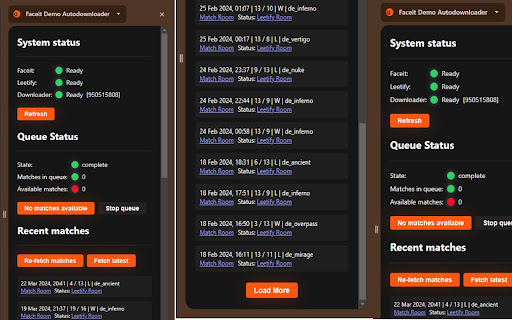
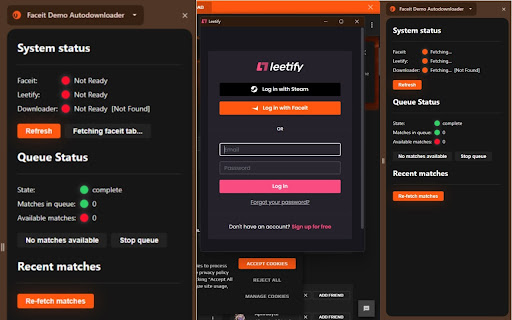
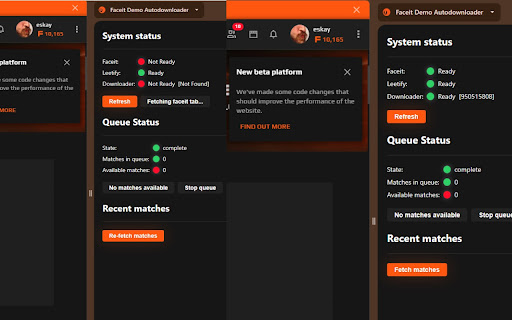
* Under `System Status` press refresh to allow the extension to set-up your system, which is valid Faceit session, valid Leetify session and valid tab for downloading demos
* Once `System Status` is all green please go ahead and fetch your latest matches - you can `Load More` at the bottom of the list once you have processed all your matches
* If you have recently played more matches you can use `Fetch latest` to fetch latest matches that are not currently in the list
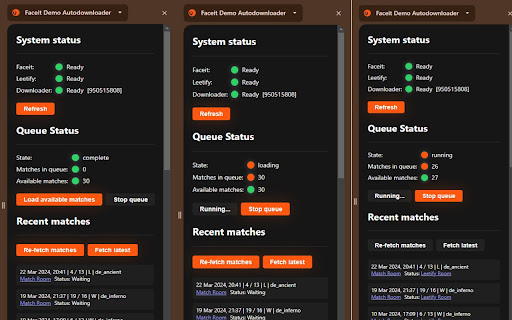
* Once you have a list of match with `Status` of `Waiting` you can proceed and start the queue by pressing the button `Load available matches` which will start the loading process of queueing up the matches (this can take up to minute depending on how large of a queue you are trying to process) and afterwards it will start processing them
* If you gets stuck or you wish to stop the queue just press the `Stop queue` button
* Once in a while you might get rate limited, you will see a message in that scenario - just wait the mentioned time period and start the queue again
For troubleshooting:
* Try to open close the side panel when things are not loading or are stuck
* Try to periodically check if the `System Status` is all green by pressing the `Refresh` button
* There are some race conditions with Finding faceit tab - just be patient and itterate between Refreshing the status and Finding the faceit tab
* Worst case scenario, uninstall the extension and install it again :)
| 分类 | 🛠️工具 |
| 插件标识 | dceoklcoijdapognfhmclmkobhelcgpi |
| 平台 | Chrome |
| 评分 |
★★★★★
5
|
| 评分人数 | 1 |
| 插件主页 | https://chromewebstore.google.com/detail/faceit-demo-autodownloade/dceoklcoijdapognfhmclmkobhelcgpi |
| 版本号 | 0.0.7 |
| 大小 | 93.5KiB |
| 官网下载次数 | 4000 |
| 下载地址 | |
| 更新时间 | 2024-04-04 00:00:00 |
CRX扩展文件安装方法
第1步: 打开Chrome浏览器的扩展程序
第2步:
在地址栏输入: chrome://extensions/
第3步: 开启右上角的【开发者模式】
第4步: 重启Chrome浏览器 (重要操作)
第5步: 重新打开扩展程序管理界面
第6步: 将下载的crx文件直接拖入页面完成安装
注意:请确保使用最新版本的Chrome浏览器
同类插件推荐

CS.Money Antiscam
Extension protects from phishing and API scam.Do y
Faceit Demo Autodownloader
Automatically downloads your Faceit demos to your
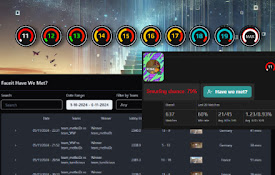
faceit-extender
Multiple features to enrich your Faceit.com Experi

WhiteMarket P2P
Creates P2P exchanges between steam usersNEW ERA O

FACEIT Predictor
Predicts the outcome of your FACEIT matches using

Faceit Stats by Eloking
Faceit Stats by Eloking is a Google Chrome extensi
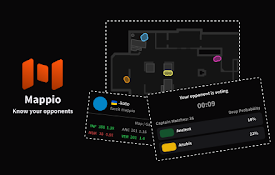
FACEIT Mappio
See the opponent's map drop probability and ev

FACEIT HELPER
FACEIT user experience enhancement toolsUPDATE: 8/

VisusGG
VisusGG, a browser extension by x3picF4ilx (Byteno
FACEIT to Leetify Demo Uploader by CSNADES.gg
Automatically upload FACEIT match demos to Leetify

Repeek (formerly FACEIT Enhancer)
Repeek enhances your experience on FACEIT and adds

Skinport Plus
使用Skinport Plus,提升你在Skinport和Steam上的在线交易体验。提升您在Ski

Ban Checker for Steam
Automatically check bans of people you recently pl