
Netflix Party Pro is now Netflix Party Plus Chrome 插件, crx 扩展下载
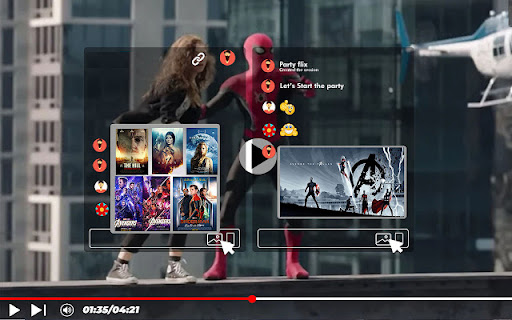

Install PartyFlix's Netflix Party Pro Chrome extension to watch along with your friends
Install NetFlix Party Chrome extension by Party Plus to bing watch your favorite shows and movies together with friends.
How to Start Netflix Watch Party:
-Add Netflix Party extension
-Open a Netflix video
-Pin the extension in the toolbar
-Tap on the extension icon and click on “Start the Party” button
-Share the generated Party link with your friends
-Now watch together with your loved ones
Netflix Party Pro Features
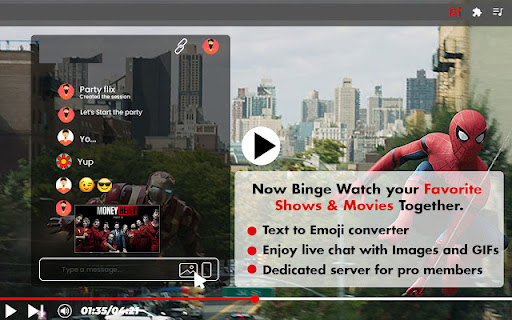
-Watch Together: Stream your favorite shows and movies along with friends
-Image & GIF Sharing: In live chat, share the images & GIFs to enjoy the moments
-Text to Emoji Converter: Convert text into emoji as you type in the chat
-Dedicated Server: Get smooth experience with premium server
RECENT UPDATES:
Version 4.0.0 changes (August 2024)
- Updated to MV3
- Minor Bug Fixes
Version 3.0.7 changes (August 2022)
- Improved quality and user experience
Version 3.0.4 changes (January 2022)
- Fix video playback issues
Version 3.0.3 changes (September 2021)
- Fix play/pause synchronization issues
- Improved quality and user experience
Version 3.0.2 changes (August 2021)
- Fixes chat related bug
- Smooth experience with fast response time
- Improved UI
| 分类 | ♿无障碍访问 |
| 插件标识 | dcfapodepbbgfaimadogodmgniepkiei |
| 平台 | Chrome |
| 评分 |
★★★★☆
4.4
|
| 评分人数 | 76 |
| 插件主页 | https://chromewebstore.google.com/detail/netflix-party-pro-is-now/dcfapodepbbgfaimadogodmgniepkiei |
| 版本号 | 4.0.0 |
| 大小 | 257KiB |
| 官网下载次数 | 40000 |
| 下载地址 | |
| 更新时间 | 2024-08-23 00:00:00 |
CRX扩展文件安装方法
第1步: 打开Chrome浏览器的扩展程序
第2步:
在地址栏输入: chrome://extensions/
第3步: 开启右上角的【开发者模式】
第4步: 重启Chrome浏览器 (重要操作)
第5步: 重新打开扩展程序管理界面
第6步: 将下载的crx文件直接拖入页面完成安装
注意:请确保使用最新版本的Chrome浏览器
同类插件推荐

Netflix Party
Install Netflix Party Plus Chrome extension to wat

带视频聊天的 Netflix 派对
激活此扩展程序,只需单击一下即可通过视频聊天与您的朋友和家人一起欣赏电影和电视节目。Get this

Disney+ Party
Watch Disney Plus togetherDo you miss group movie

热星派对
与朋友同步观看 Disney HotstarBecome futuristic with this
Netflix Party Pro is now Netflix Party Plus
Install PartyFlix's Netflix Party Pro Chrome

Netflix Party Plus: watch together and chat
Watch Netflix with friends online! Extension to wa

Netflix Sync Party
Watch Netflix with friends - no ads, no queues, no

YouTube派对
与朋友同步您的YouTube视频播放与朋友一起观看YouTube视频。 YouTube Party是

Scener
Watch shows and movies in sync with friends around

Netflix Party is now Teleparty
Watch Netflix, Youtube, Disney Plus, Max and more

Watch Netflix Together
Effortlessly watch Netflix together!Watch Netflix

Sync Watch
Watch videos together at the same time!SyncWatch a