
Axen Rephraser Chrome 插件, crx 扩展下载
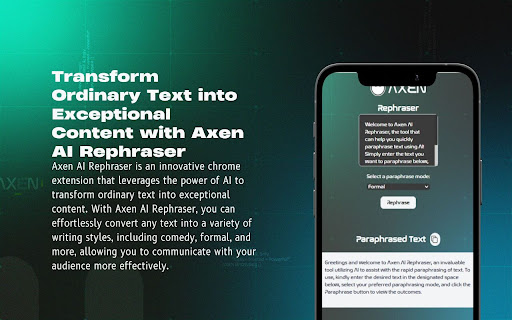
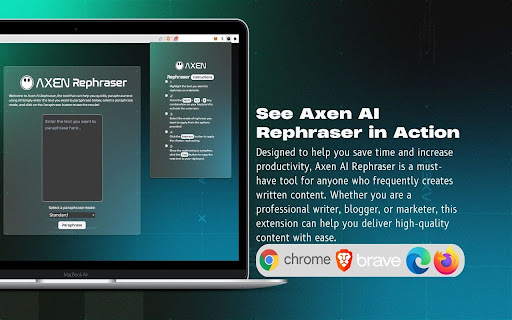
Axen AI Rephraser is a powerful AI-powered tool that helps you quickly and easily rephrase your content. It uses advanced natural…
Axen AI Rephraser is a powerful AI-powered tool that helps you quickly and easily rephrase your content. It uses advanced natural language processing (NLP) technology to analyze the text and then generate rewritten versions. Whether you want to make your content more creative, more engaging, or more accurate, Axen AI RePhraser has you covered. With its intuitive interface, you can quickly and easily rephrase your content in just a few clicks. Simply input your text, select the desired output type, and let the AI do the rest. Axen AI RePhraser is a must-have tool for any content creator who wants to save time and create high-quality content quickly and easily.
https://rephraser.axenai.com
Read the instruction carefully.
Select the text you desire to rephrase, right click and choose the extension.
Note: Make sure the extension is installed and enabled before trying to use it. Also, follow any additional instructions provided by the extension to ensure proper functionality.
| 分类 | 📝工作流程与规划 |
| 插件标识 | dciokkpimjfgdihaflidcapbdjohheha |
| 平台 | Chrome |
| 评分 |
☆☆☆☆☆
0
|
| 评分人数 | 2 |
| 插件主页 | https://chromewebstore.google.com/detail/axen-rephraser/dciokkpimjfgdihaflidcapbdjohheha |
| 版本号 | 2.0 |
| 大小 | 4.75MiB |
| 官网下载次数 | 403 |
| 下载地址 | |
| 更新时间 | 2024-06-08 00:00:00 |
CRX扩展文件安装方法
第1步: 打开Chrome浏览器的扩展程序
第2步:
在地址栏输入: chrome://extensions/
第3步: 开启右上角的【开发者模式】
第4步: 重启Chrome浏览器 (重要操作)
第5步: 重新打开扩展程序管理界面
第6步: 将下载的crx文件直接拖入页面完成安装
注意:请确保使用最新版本的Chrome浏览器
同类插件推荐

PRMDB for Bard-Gemini
Create public and private custom prompts for Googl

Talkery: AI Rephraser
An extension that captures audio from the micropho

Axen Rephraser
Axen AI Rephraser is a powerful AI-powered tool th

LeadhuntAI - Chrome Extension
This extension will allow you to easily retrieve s

PromptEasily ChatGPT - HDTeam
PromptEasily ChatGPT - HDTeam adds a list of curat

ChatGPT Recall Prompts
I recall ChatGPT prompts. That's it!"Chat

Krunch
Shorten URLs like never beforeThis powerful chrome

Retaino
App that helps you learn and retain informationRem

Thymeline
Add events to your timeline the easy wayKeep track

Cards & Colors
Extension enhances visibility to issues and cards

Social Attache
Automate your social media prospecting and follow-

reveddit language fix
Allows reveddit.com to work properly when the brow

ReadAnything
Read anything with the power of AIAre you bothered