
Search Highlighter Chrome 插件, crx 扩展下载
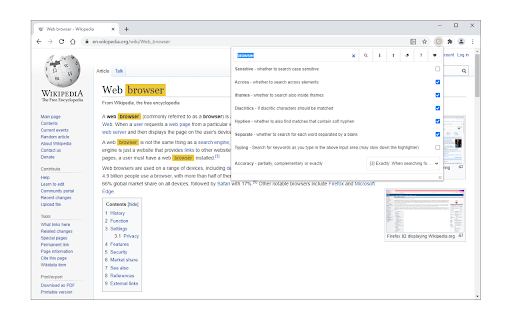
Search and highlight keywords in any webpage via toolbar popup.
Search Highlighter is an extension that enables you to find and highlight desired keywords on any web page.
Simply navigate to a web page, then, open toolbar popup UI and type your keyword in the designated area. Then click on the - Find - button or press - Enter - on your keyboard. All the matching words within the web page will be highlighted with yellow color. If you click on the - Clear - Button, the highlighted words will be cleared. There are also several options within the options page to adjust highlight functionality.
To report bugs, please fill out the bug report form on the addon's homepage (https://mybrowseraddon.com/search-highlighter.html).
| 分类 | 🛠️工具 |
| 插件标识 | ddhleiedaebfmlcefloachgifidhogde |
| 平台 | Chrome |
| 评分 |
★★★★☆
4.4
|
| 评分人数 | 396 |
| 插件主页 | https://chromewebstore.google.com/detail/search-highlighter/ddhleiedaebfmlcefloachgifidhogde |
| 版本号 | 0.1.5 |
| 大小 | 42.58KiB |
| 官网下载次数 | 3000 |
| 下载地址 | |
| 更新时间 | 2024-12-10 00:00:00 |
CRX扩展文件安装方法
第1步: 打开Chrome浏览器的扩展程序
第2步:
在地址栏输入: chrome://extensions/
第3步: 开启右上角的【开发者模式】
第4步: 重启Chrome浏览器 (重要操作)
第5步: 重新打开扩展程序管理界面
第6步: 将下载的crx文件直接拖入页面完成安装
注意:请确保使用最新版本的Chrome浏览器
同类插件推荐

Search Highlighter
Search and highlight keywords in any webpage via t
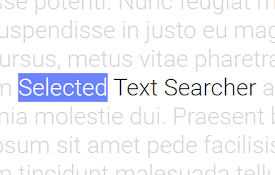
Selected Text Searcher
Highlight any text and perform a search in any sea
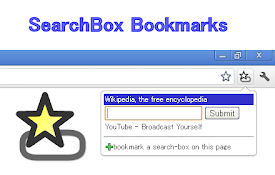
SearchBox Bookmarks
Bookmark search-boxes and use the search-box in th

Slash to search
Jump to the search box on any website by pressing