
YouTube Enhancer Chrome 插件, crx 扩展下载
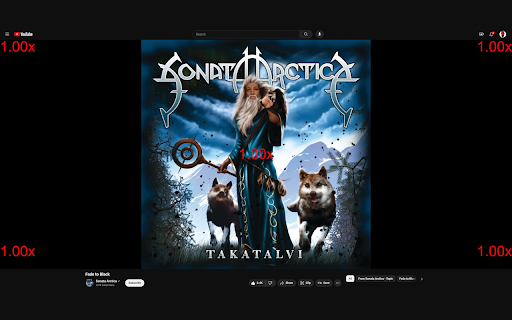
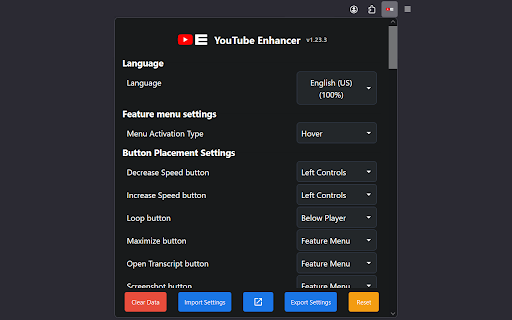
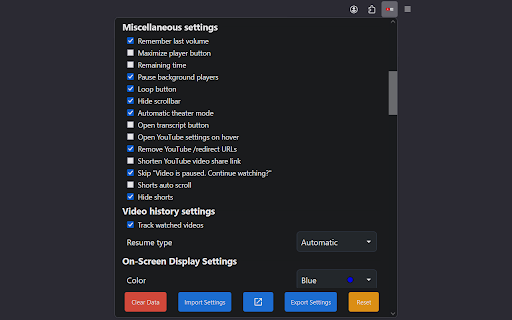


YouTube Enhancer is a simple extension that adds some useful features to YouTube.
? Enhance your YouTube experience with this powerful browser extension. Features include customizable volume control, automatic quality settings, playback speed adjustments, volume boost, and more. Build from scratch with easy steps.
Transform your YouTube experience with the YouTube Enhancer Extension. Build it yourself or contribute on GitHub. Open-source under MIT License. Elevate your viewing experience! ?
? Supported languages:
English (US) (100%), Русский (100%), 中文 (简体) (100%), Italiano (98%), 日本語 (98%), Svenska (SV) (98%), 繁體中文 (台灣) (94%), Türkçe (75%), Português do Brasil (74%), Français (67%), Español (63%), Deutsch (36%), Català (0%), Čeština (0%), فارسی (0%), עברית (0%), Hindi (0%), Polish (0%)
Help us translating the extension to your language - https://crowdin.com/project/youtube-enhancer
If you love what I do and want to support me, consider buying me a coffee on Ko-fi ☕. Your contribution helps me continue enhancing your YouTube journey!
GitHub Repository - https://github.com/YouTube-Enhancer/extension#-introduction
Discord Community - https://discord.gg/VpdGFmuB4B
Ko-fi - https://ko-fi.com/youtubeenhancer
* Not affiliated with YouTube or Google
| 分类 | 🛠️工具 |
| 插件标识 | dejhhgdpambaambdifcfbmpliolehfaj |
| 平台 | Chrome |
| 评分 |
★★★★☆
4.8
|
| 评分人数 | 394 |
| 插件主页 | https://chromewebstore.google.com/detail/youtube-enhancer/dejhhgdpambaambdifcfbmpliolehfaj |
| 版本号 | 1.27.0 |
| 大小 | 1.53MiB |
| 官网下载次数 | 1000 |
| 下载地址 | |
| 更新时间 | 2024-10-13 00:00:00 |
CRX扩展文件安装方法
第1步: 打开Chrome浏览器的扩展程序
第2步:
在地址栏输入: chrome://extensions/
第3步: 开启右上角的【开发者模式】
第4步: 重启Chrome浏览器 (重要操作)
第5步: 重新打开扩展程序管理界面
第6步: 将下载的crx文件直接拖入页面完成安装
注意:请确保使用最新版本的Chrome浏览器
同类插件推荐

Youtube Audio Compressor
A simple Youtube extension that compresses video a

YouTube Easy Resume
An extension that provides auto-resume functionali

YouTube Enhanced Extension
A third party thing that makes watching YouTube vi
YouTube Enhancer
YouTube Enhancer is a simple extension that adds s