
Open Multiple URLs Chrome 插件, crx 扩展下载
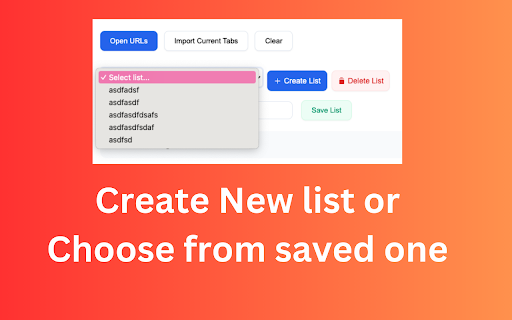
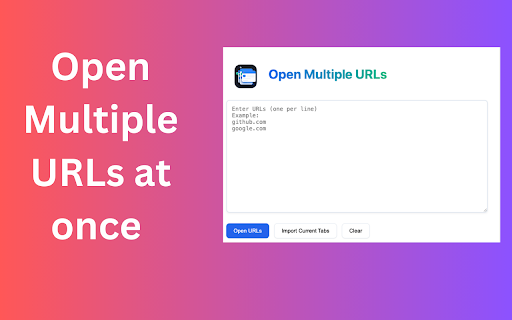
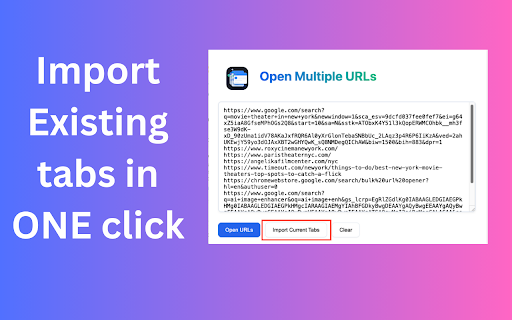
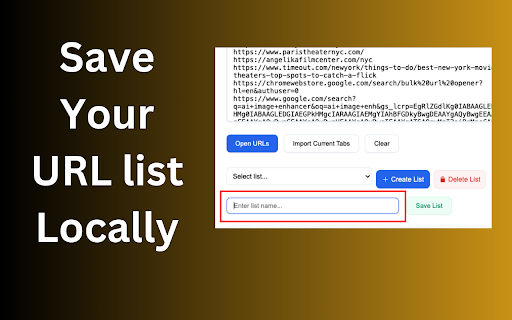

Open multiple URLs [Bulk URL Opener] at once with customizable settings
Short Description (up to 132 characters):
Efficiently open multiple URLs in tabs, windows, or groups. Import from files, save URL lists, and manage tab opening with customizable delays.
Detailed Description:
Bulk URL Opener - Advanced Tab Management & URL List Organizer
✨ Key Features:
• Open multiple URLs simultaneously in tabs, separate windows, or grouped windows
• Import URLs from text files or current browser tabs
• Save and manage frequently used URL collections
• Customizable opening delay to prevent browser overload
• Smart URL validation and auto-correction
• Group tabs by domain automatically
• Export URL lists for sharing or backup
• Pause and resume bulk opening operations
• Remove duplicates automatically
• Mobile-friendly interface
? Perfect for:
• Web developers testing multiple pages
• Digital marketers checking competitor sites
• Research and data collection
• Social media management
• Bookmark organization
• Daily workflow automation
• Educational resource management
⚡ Professional Features:
• Intelligent URL formatting
• Progress tracking for tab opening
• Advanced error handling
• Customizable opening modes
• Local storage for URL lists
• Clean, intuitive interface
• Memory-efficient operation
? Privacy & Security:
• No data collection
• Works offline
• No external dependencies
• Local storage only
• No ads or tracking
? Ideal for:
• Professional web researchers
• Digital marketers
• Students and educators
• Web developers
• Content creators
• Social media managers
• Business professionals
Free, lightweight, and regularly updated. Streamline your browsing workflow today!
#TabManagement #Productivity #WebTools #ChromeExtension #URLOpener #WebDevelopment #DigitalMarketing #Research
| 分类 | 📝工作流程与规划 |
| 插件标识 | dfanaedlfeapcalipllnkkcdboffjnap |
| 平台 | Chrome |
| 评分 |
★★★★☆
4.4
|
| 评分人数 | 106 |
| 插件主页 | https://chromewebstore.google.com/detail/open-multiple-urls/dfanaedlfeapcalipllnkkcdboffjnap |
| 版本号 | 1.0 |
| 大小 | 468KiB |
| 官网下载次数 | 47 |
| 下载地址 | |
| 更新时间 | 2024-11-11 00:00:00 |
CRX扩展文件安装方法
第1步: 打开Chrome浏览器的扩展程序
第2步:
在地址栏输入: chrome://extensions/
第3步: 开启右上角的【开发者模式】
第4步: 重启Chrome浏览器 (重要操作)
第5步: 重新打开扩展程序管理界面
第6步: 将下载的crx文件直接拖入页面完成安装
注意:请确保使用最新版本的Chrome浏览器
同类插件推荐

Open Multiple URLs
Open multiple URLs [Bulk URL Opener] at once with

Bulk URL Opener
Opens a list of URLsThe Bulk URL Opener is a web e

多重URL打开器
多重URL打开器 - 快速打开URL。今天就用我们的批量URL打开器彻底改变你的浏览方式!?通过我们

Open Multiple URLs
Opens a list of URLsTakes a list of web pages in p