
URL编码器/解码器 Chrome 插件, crx 扩展下载
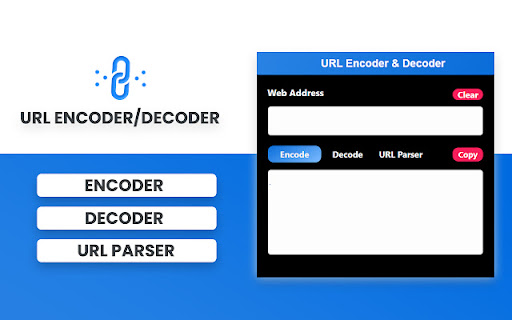
自动用易于使用的UI编码和解码URL。
A useful Chrome extension for developers to decode URLs that have been encoded.
Very useful when you've decoded or encoded a URL and want to make it readable or unreadable!
Use URL Encoder to encode (or decode) URLs.
Per cent-encoding or URL encoding is a process of encoding the information in a Uniform Resource Identifier (URI).
This developer tool lets you use an encoded URL string in a text field and see a decoded version.
This is extremely useful if you frequently deal with the encoded URLs.
The following features are available:
- Encode/Decode - toggle between encoding and decoding URLs
- Clear - clear the URL
- Paste - paste from the clipboard
- Copy - copy decoded/encoded URL to the clipboard
| 分类 | 💻开发者工具 |
| 插件标识 | dffhfmmkbpmghpcilcgohpdfmibapagf |
| 平台 | Chrome |
| 评分 |
★★★★☆
4.2
|
| 评分人数 | 17 |
| 插件主页 | https://chromewebstore.google.com/detail/url编码器解码器/dffhfmmkbpmghpcilcgohpdfmibapagf |
| 版本号 | 1.0.0 |
| 大小 | 60.69KiB |
| 官网下载次数 | 144 |
| 下载地址 | |
| 更新时间 | 2024-05-25 00:00:00 |
CRX扩展文件安装方法
第1步: 打开Chrome浏览器的扩展程序
第2步:
在地址栏输入: chrome://extensions/
第3步: 开启右上角的【开发者模式】
第4步: 重启Chrome浏览器 (重要操作)
第5步: 重新打开扩展程序管理界面
第6步: 将下载的crx文件直接拖入页面完成安装
注意:请确保使用最新版本的Chrome浏览器
同类插件推荐

URL编码器/解码器
自动用易于使用的UI编码和解码URL。A useful Chrome extension for d

Offline QR Code Generator/Editor
Offline QR Code Generator/Editor (URL and Text)离线Q

URL Decode/Encode
A nifty tool for decoding URLs that have been enco

Url Shortener
Quickly create and share short URLs with the added