
Tab Bomb Chrome 插件, crx 扩展下载
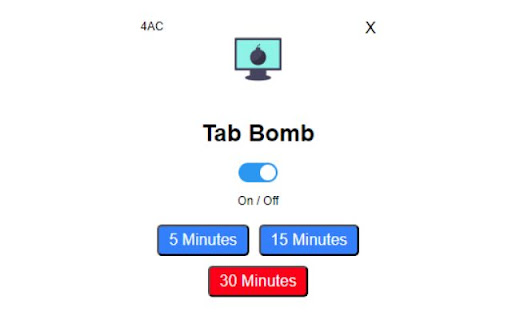

Automatically close inactive tabs after a certain time interval
Introducing Tab Bomb: The ultimate productivity booster for your web browsing experience! ?
Are you tired of getting lost in the clutter of countless open tabs that drain your mental focus and computer resources? Tab Bomb is here to help you regain control over your browsing environment.
Our Chrome extension seamlessly manages your open tabs by automatically closing the ones that have been inactive for a specified duration, giving you a cleaner, more organized workspace. This results in:
✅ Improved focus and productivity
✅ Faster browsing experience
✅ Reduced memory and CPU usage
✅ Enhanced browser performance
With Tab Bomb, you can effortlessly customize your preferences:
? Choose between 5, 15, or 30-minute inactivity thresholds
? Toggle the extension on or off with a single click
?️ Keep your active tab safe from closing, no matter how long it's been open
Installing Tab Bomb is a breeze - simply head over to the Chrome Web Store, find our extension, and click "Add to Chrome." Say goodbye to the chaos of endless open tabs and hello to a more efficient and streamlined browsing experience. Boost your productivity with Tab Terminator today!
| 分类 | 📝工作流程与规划 |
| 插件标识 | dgfenjbplgldnkllpblmiingegepkhjj |
| 平台 | Chrome |
| 评分 |
★★★★☆
4.2
|
| 评分人数 | 73 |
| 插件主页 | https://chromewebstore.google.com/detail/tab-bomb/dgfenjbplgldnkllpblmiingegepkhjj |
| 版本号 | 1.0 |
| 大小 | 13.62KiB |
| 官网下载次数 | 30 |
| 下载地址 | |
| 更新时间 | 2023-04-18 00:00:00 |
CRX扩展文件安装方法
第1步: 打开Chrome浏览器的扩展程序
第2步:
在地址栏输入: chrome://extensions/
第3步: 开启右上角的【开发者模式】
第4步: 重启Chrome浏览器 (重要操作)
第5步: 重新打开扩展程序管理界面
第6步: 将下载的crx文件直接拖入页面完成安装
注意:请确保使用最新版本的Chrome浏览器
同类插件推荐

Shut the tab up!
Auto mutes tabs that are inactive.This extension w
Tab Bomb
Automatically close inactive tabs after a certain

Automatic Tab Opener
Enables the user to set specific times to open a t

Tab Close Timer
Closes the tab after specified time!Watching YouTu