
Website Time Tracker Chrome 插件, crx 扩展下载
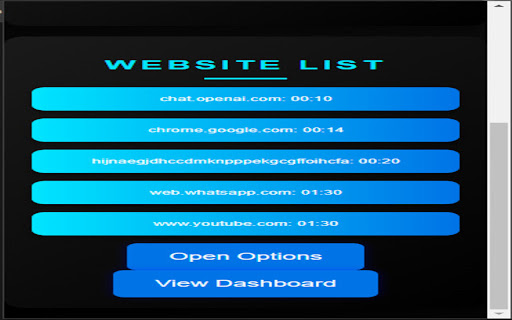
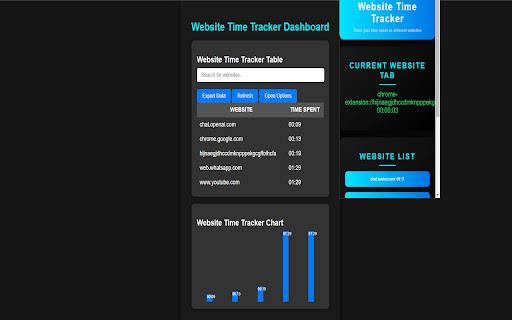
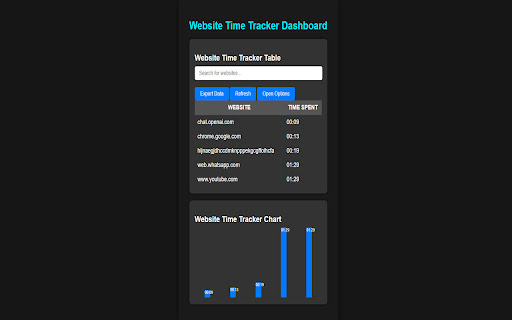
This extension allows to keep track of time on all open tabs with notifications
The "Website Time Tracker" Chrome extension helps you monitor and manage your time spent on different websites. It provides a dashboard that displays a chart and table showing the time spent on each website. You can search for specific websites, export the data as a CSV file, and refresh the dashboard. The extension also includes a button to open the options page for customizing the extension settings. With its user-friendly interface and useful features, the "Website Time Tracker" is a handy tool for tracking and optimizing your online activities.
| 分类 | 🛠️工具 |
| 插件标识 | dgjpejkdagdgmphnnjddjaifflnamamh |
| 平台 | Chrome |
| 评分 |
★★★★☆
4.4
|
| 评分人数 | 769 |
| 插件主页 | https://chromewebstore.google.com/detail/website-time-tracker/dgjpejkdagdgmphnnjddjaifflnamamh |
| 版本号 | 1.0 |
| 大小 | 14.42KiB |
| 官网下载次数 | 28 |
| 下载地址 | |
| 更新时间 | 2024-03-16 00:00:00 |
CRX扩展文件安装方法
第1步: 打开Chrome浏览器的扩展程序
第2步:
在地址栏输入: chrome://extensions/
第3步: 开启右上角的【开发者模式】
第4步: 重启Chrome浏览器 (重要操作)
第5步: 重新打开扩展程序管理界面
第6步: 将下载的crx文件直接拖入页面完成安装
注意:请确保使用最新版本的Chrome浏览器
同类插件推荐
Website Time Tracker
This extension allows to keep track of time on all

网页更新提醒
监测并记录网页内容变化,一旦有更新立即通知你核心功能: - 方便地圈选任何网页上您感兴趣的区域进行监

Auto Refresh Web - Monitor
Automatically Refresh Any Website with an Advanced

Popup Blocker
This extension automatically closes tabs and windo