
Animex Chrome 插件, crx 扩展下载
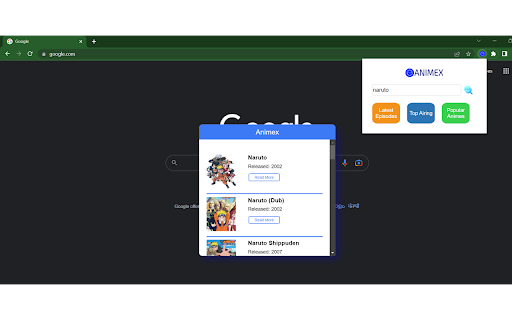
Lets you see updates on latest anime episodes
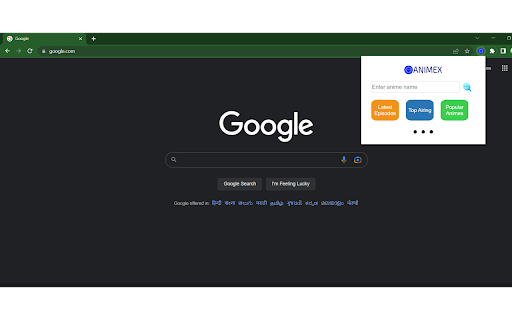
If you're an anime fan, you know how difficult it can be to keep up with the latest anime releases and to stay on top of what's popular. With the "Animex" Chrome extension, you can easily keep track of all the latest anime news and releases right from your browser.
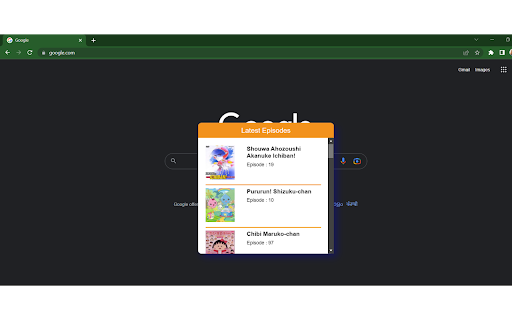
One of the key features of Animex is its ability to provide you with the latest released anime episodes. With just a few clicks, you can quickly find out what are the latest episodes . This saves you the hassle of having to scour the internet for the latest releases.
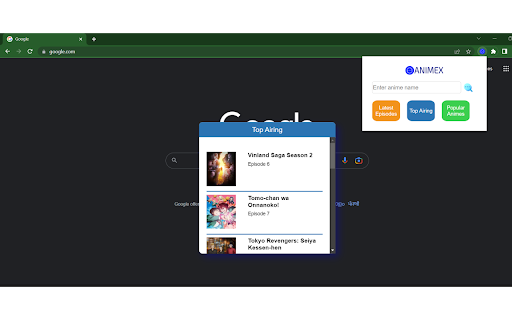
Another great feature of Animex is its ability to show you the top airing animes. This is perfect if you're looking for something new to watch or if you want to stay on top of what's popular. You'll be able to see which animes are currently being aired so you can easily decide which ones you want to watch.
In addition to the top airing animes, Animex also lets you see the top popular animes. This is a great way to discover new shows and see what other anime fans are watching so you can easily decide which ones to add to your watchlist.
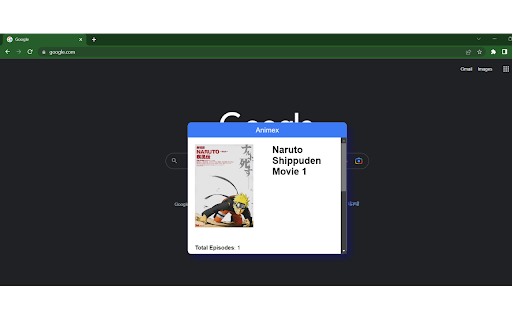
Finally, Animex lets you get information about any particular anime you're interested in. You can easily search for an anime and get detailed information about its plot, characters, and more. This is perfect if you're trying to decide whether or not to watch a particular anime or if you just want to learn more about your favorite shows.
Overall, the "Animex" Chrome extension is a must-have for any anime fan. It's easy to use, provides you with up-to-date information, and helps you discover new shows to watch. Whether you're a casual fan or a hardcore otaku, Animex has something for everyone. So why wait? Install Animex today and start exploring the exciting world of anime!
| 分类 | 🎉趣味休闲 |
| 插件标识 | dhojfeicfmkbfgpdkbgebkpnbceifmpp |
| 平台 | Chrome |
| 评分 |
★★★★☆
4.4
|
| 评分人数 | 13 |
| 插件主页 | https://chromewebstore.google.com/detail/animex/dhojfeicfmkbfgpdkbgebkpnbceifmpp |
| 版本号 | 1.0.0 |
| 大小 | 439KiB |
| 官网下载次数 | 91 |
| 下载地址 | |
| 更新时间 | 2023-02-21 00:00:00 |
CRX扩展文件安装方法
第1步: 打开Chrome浏览器的扩展程序
第2步:
在地址栏输入: chrome://extensions/
第3步: 开启右上角的【开发者模式】
第4步: 重启Chrome浏览器 (重要操作)
第5步: 重新打开扩展程序管理界面
第6步: 将下载的crx文件直接拖入页面完成安装
注意:请确保使用最新版本的Chrome浏览器
同类插件推荐

9anime App | Watch Anime for Free
Một nơi để xem anime miễn phí.The first thing you

Animex
Lets you see updates on latest anime episodesIf yo

Anime Sensei
This is an extension to recommend anime movies and

Visual Debug - feedback collection tool
Visual Debug gives you the power to report a bug o

GA4 annotations Test
Create annotations on GA4GA4 Annotations+ is a web

Heystak
Save Facebook and TikTok ads.Heystak.co - Your Ul

Save Twitter&Linkedin People to Notion CRM
Import Twitter and LinkedIn contact information to

Stefan's Mastodon Tools
A collection of useful tools for Mastodon.This is

LeadhuntAI - Chrome Extension
This extension will allow you to easily retrieve s

ChatGPT Recall Prompts
I recall ChatGPT prompts. That's it!"Chat

RecruitBot Extension
The RecruitBot extension.RecruitBot is a powerful

Vind: Keyboard Shortcuts for Every Website
Create keyboard shortcuts for any web element. Boo

Social Attache
Automate your social media prospecting and follow-