
Disable Autoplay for YouTube™ Chrome 插件, crx 扩展下载
Disable YouTube HTML5 player from auto-playing.
Disable Autoplay for YouTube™ is a lite extension that lets you easily stop/pause YouTube videos from auto-playing.
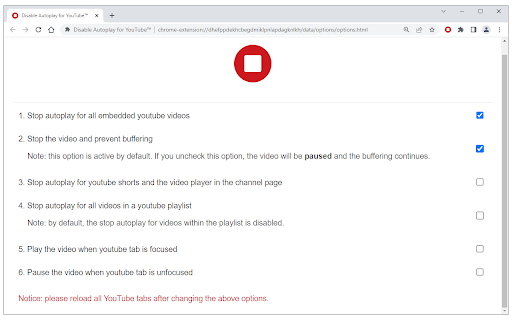
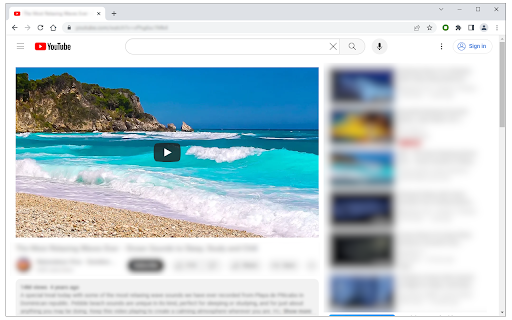
The toolbar button serves as an ON|OFF switch for this addon (the icon will change color accordingly). The red color shows an active state and the dark grey color shows a disabled state. To work with this addon, please add this addon to your browser and then start browsing YouTube. When the addon is active, videos are stopped automatically from playing when you open one. When videos are stopped, the buffering does not continue. You can change this behavior from the options page and let the videos "pause" instead of "stop". This way, the buffering continues but the video won't play. There is another option on the settings page to play or pause videos when a tab is focused or hidden (unfocused). These two options are not active by default. This addon works for all YouTube videos whether they are embedded or not. However, you can disable this feature from the settings page.
Note 1: when you switch to the miniplayer, the video stops again. So if you want to use the youtube miniplayer feature, please turn off this addon.
Note 2: by default, this addon does not work for youtube shorts and the small video player on the channel page. To enable this feature, please mark option #3 on the settings page.
To report bugs, please fill out the bug report form on the addon's homepage (https://mybrowseraddon.com/disable-autoplay.html).
| 分类 | 🛠️工具 |
| 插件标识 | dinkeiniijmpjehejhedbciaedblhnnk |
| 平台 | Chrome |
| 评分 |
★★★★☆
4.4
|
| 评分人数 | 61 |
| 插件主页 | https://chromewebstore.google.com/detail/disable-autoplay-for-yout/dinkeiniijmpjehejhedbciaedblhnnk |
| 版本号 | 0.1.3 |
| 大小 | 33.76KiB |
| 官网下载次数 | 10000 |
| 下载地址 | |
| 更新时间 | 2024-12-05 00:00:00 |
CRX扩展文件安装方法
第1步: 打开Chrome浏览器的扩展程序
第2步:
在地址栏输入: chrome://extensions/
第3步: 开启右上角的【开发者模式】
第4步: 重启Chrome浏览器 (重要操作)
第5步: 重新打开扩展程序管理界面
第6步: 将下载的crx文件直接拖入页面完成安装
注意:请确保使用最新版本的Chrome浏览器
同类插件推荐

Playback Rate Controller
Take control over video playback speed! Change vid

YouTube™ Repeat Button
Adds a repeat button to the HTML5 player to loop o

Disable Autoplay for YouTube™
Disable YouTube HTML5 player from auto-playing.Dis

Outside YouTube Player Bar
Display YouTube's player bar outside the video