
SearchOnSite Chrome 插件, crx 扩展下载
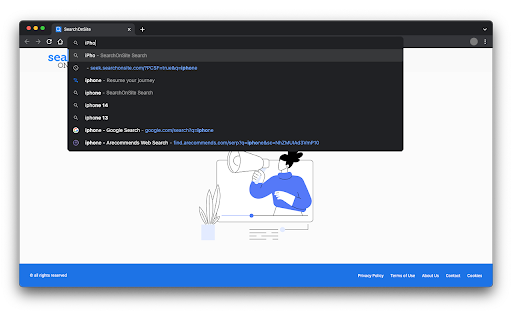
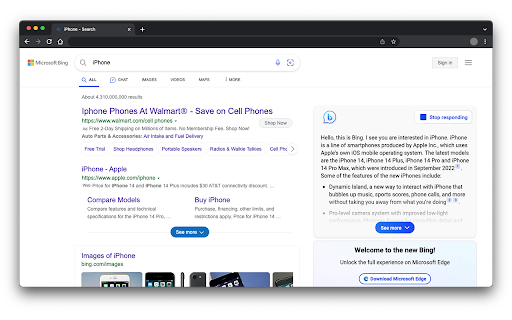
Enjoy a quick and distraction-free search experience
SearchOnSite is a search-focused extension that offers a default search that is simple and fast.
The SearchOnSite extension sets your default search provider to Microsoft Bing.
By clicking “Add to Chrome”, you accept and agree to install the SearchOnSite extension, set the Chrome™ default search to SearchOnSite, and to the Terms of Use, and Privacy Policy.
Terms of Use: https://www.SearchOnSite.com/terms-of-use
Privacy Policy: https://www.SearchOnSite.com/privacy-policy
For easy access, we recommend pinning the extension to your browser toolbar.
| 分类 | 🛠️工具 |
| 插件标识 | diocjjmokglkngklaklokajpeepicphh |
| 平台 | Chrome |
| 评分 |
★★★★★
5
|
| 评分人数 | 92 |
| 插件主页 | https://chromewebstore.google.com/detail/searchonsite/diocjjmokglkngklaklokajpeepicphh |
| 版本号 | 0.0.2 |
| 大小 | 22.26KiB |
| 官网下载次数 | 40000 |
| 下载地址 | |
| 更新时间 | 2024-05-22 00:00:00 |
CRX扩展文件安装方法
第1步: 打开Chrome浏览器的扩展程序
第2步:
在地址栏输入: chrome://extensions/
第3步: 开启右上角的【开发者模式】
第4步: 重启Chrome浏览器 (重要操作)
第5步: 重新打开扩展程序管理界面
第6步: 将下载的crx文件直接拖入页面完成安装
注意:请确保使用最新版本的Chrome浏览器
同类插件推荐

Scanguard - Clean & Speed Up
Enjoy a faster internet browsing experience, free

SearchOnSite
Enjoy a quick and distraction-free search experien
ZenSearch
ZenSearch - Search the web, and get your results f

SnapSearch - Better Search on Arc
Search the web distraction-free with SnapSearchSna