
Different Text Chrome 插件, crx 扩展下载
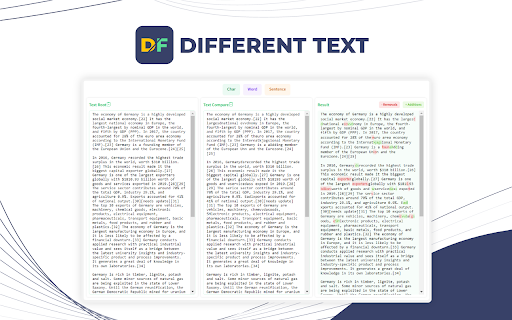
Different Text
Different Text will compare text to find the difference between two text files. Just paste your files and click Find Difference.
| 分类 | 📝工作流程与规划 |
| 插件标识 | djcceecppgclphllklaofkfbjbncoldf |
| 平台 | Chrome |
| 评分 |
★★★★★
5
|
| 评分人数 | 4 |
| 插件主页 | https://chromewebstore.google.com/detail/different-text/djcceecppgclphllklaofkfbjbncoldf |
| 版本号 | 1.0 |
| 大小 | 707KiB |
| 官网下载次数 | 84 |
| 下载地址 | |
| 更新时间 | 2023-10-25 00:00:00 |
CRX扩展文件安装方法
第1步: 打开Chrome浏览器的扩展程序
第2步:
在地址栏输入: chrome://extensions/
第3步: 开启右上角的【开发者模式】
第4步: 重启Chrome浏览器 (重要操作)
第5步: 重新打开扩展程序管理界面
第6步: 将下载的crx文件直接拖入页面完成安装
注意:请确保使用最新版本的Chrome浏览器
同类插件推荐

Text Comparison Tool
Compare and analyze differences between two text i

JSON 比较
使用 JSON Compare 来轻松比较 JSON。顶级的 JSON 比较器和在线差异检查器,可快
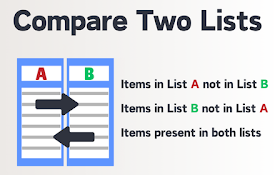
比较两个列表
使用我们的快速列表比较工具轻松比较列表。识别差异、匹配情况,并简化您的比较。寻找高效的列表分析方式?

Diff Checker
Diffchecker 比较文本并找到两个文本文件之间的差异。只需粘贴您的文件并点击查找差异!Dif

Different Text
Different TextDifferent Text will compare text to

Parse & Diff Tool
Save engineers time from endless manual en/decode/

diff-viewer
ブラウザ上でdiffを見るためのツール 画面の上半分にはエディターがあり、下半分は結果を表示するよう
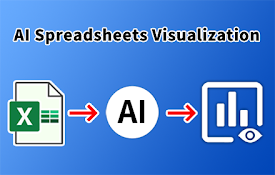
AI电子表格可视化
使用AI等大型语言模型自动探索数据,从电子表格生成可视化和信息图表。AI电子表格可视化是一种用于生成

Git Diff Flex
Git Diff Flex adds a draggable pane bezel between

JSON格式化工具
一个JSON格式化工具,方便查看、查找JSON格式数据1. 支持对结果进行折叠显示 2. 支持主题、

HTML Diff Check Tool
Tool for checking HTML difference between tabs ,or
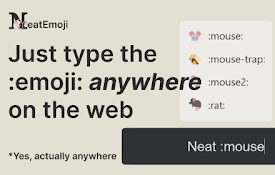
Neat Emoji - Text to emoji with AI
No more copy pasting emojis, just type :emoji: and

Integrito — Analyze Text, Check Plagiarism&AI
This extension is a helpful all-in-one tool for ed