
Seed - YouTube To Obsidian Chrome 插件, crx 扩展下载


Effortlessly Save YouTube Video Summaries to Your Obsidian Vault in Seconds!
YouTube to Obsidian: Summaries Made Effortless!
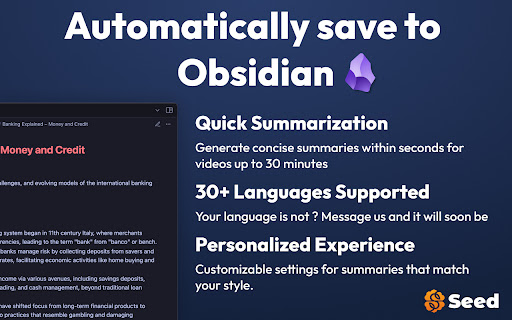
Tired of taking notes while watching videos? Supercharge your productivity with Seed! This Chrome extension is your ultimate tool for generating quick, accurate summaries of YouTube videos in over 30 languages, saving them in Markdown right into Obsidian or any folder of your choice. Perfect for anyone looking to build their second brain, this extension combines the power of AI with a sleek, intuitive interface to give you personalized, chapter-based summaries that feel like they're straight from the creator.
Key Features:
– Summarize videos in over 30 languages
– Get summaries in bullet points or paragraph form, tailored to your needs.
– Simple, one-click setup to select your file location and let the extension do the rest in the background.
– Summaries ready in seconds for any video up to 30 minutes
Upgrade your YouTube experience and save precious time with YouTube to Obsidian – the smartest way to take notes!
| 分类 | 🛠️工具 |
| 插件标识 | djlomjbgbleommcihakhpmdpdofnmean |
| 平台 | Chrome |
| 评分 |
★★★★☆
4.7
|
| 评分人数 | 19 |
| 插件主页 | https://chromewebstore.google.com/detail/seed-youtube-to-obsidian/djlomjbgbleommcihakhpmdpdofnmean |
| 版本号 | 1.2.7 |
| 大小 | 4.7MiB |
| 官网下载次数 | 164 |
| 下载地址 | |
| 更新时间 | 2024-12-21 00:00:00 |
CRX扩展文件安装方法
第1步: 打开Chrome浏览器的扩展程序
第2步:
在地址栏输入: chrome://extensions/
第3步: 开启右上角的【开发者模式】
第4步: 重启Chrome浏览器 (重要操作)
第5步: 重新打开扩展程序管理界面
第6步: 将下载的crx文件直接拖入页面完成安装
注意:请确保使用最新版本的Chrome浏览器
同类插件推荐

Seed - YouTube To Obsidian
Effortlessly Save YouTube Video Summaries to Your

LunaNotes - Take notes on YouTube
The Simplest Way to Take Notes on YouTube Videos!?

Youtube Timestamp Saver
It helps you save timestamps in Youtube videosAre

Eightify:AI YouTube 视频摘要工具
使用 AI 总结 YouTube 视频。节省长视频观看时间 — 立即获得高质量摘要和关键洞见。主要功