
Text Case Converter Chrome 插件, crx 扩展下载

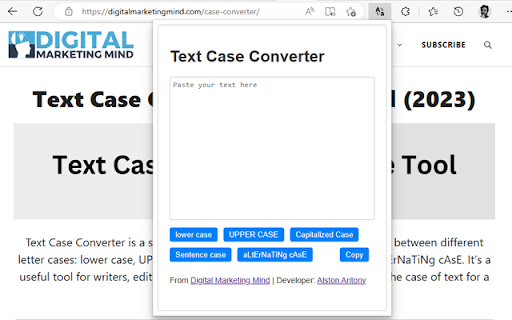
Converts text to different letter cases such as Uppercase, Lowercase, Capitalized Case, Sentece Case and Alternating Case.
Text Case Converter is a chrome extension that allows you to easily change the case of any text you select on a web page.
You can choose from different options, such as upper, lower, title, sentence, capitalized, and alternating case.
Title Case Converter:
This tool that takes a piece of text and converts it to title case. In title case, the first letter of each word is capitalized, except for certain small words like "and," "of," and "the." This is a common convention used in titles of books, articles, and other written works.
Sentence Case Converter:
This tool that takes a piece of text and converts it to sentence case. In sentence case, the first letter of the first word of each sentence is capitalized, as well as any proper nouns (e.g. names of people or places). All other words are written in lowercase. This is the standard convention used in most written English.
Upper Case Converter:
This tool that takes a piece of text and converts all the letters to uppercase. In uppercase, all the letters are capitalized. This is useful for emphasizing certain words or for writing headings or titles in a more eye-catching way.
Lower Case Converter:
This tool that takes a piece of text and converts all the letters to lowercase. In lowercase, all the letters are written in small letters. This is useful when you want to write in a more casual or informal style.
Alternating Case Converter:
This tool that takes a piece of text and alternates the case of each letter. The first letter is capitalized, the second letter is in lowercase, the third letter is capitalized again, and so on. This is sometimes called "spongebob case" because it resembles the way Spongebob Squarepants' name is written. Alternating case is mostly used for decorative purposes or to add some personality to your text.
Text Case Converter is useful for formatting text according to your preferences or needs, such as writing headlines, titles, captions, code, etc.
Text Case Converter is simple and fast to use.
Click on the icon in your browser, Just type the text you want to convert and click on desired case button to convert it.
You can also use "Copy" button to copy the converted text.
It does not require any permissions or access to your browsing data.
Text case-converter is a handy tool for anyone who works with text on the web.
Learn more details about plugin: https://digitalmarketingmind.com/case-converter/
| 分类 | 👥社交 |
| 插件标识 | dkdpfgclohkhnkppppenhdmlcfggmcjp |
| 平台 | Chrome |
| 评分 |
★★★★☆
4.4
|
| 评分人数 | 7 |
| 插件主页 | https://chromewebstore.google.com/detail/text-case-converter/dkdpfgclohkhnkppppenhdmlcfggmcjp |
| 版本号 | 1.0 |
| 大小 | 17.19KiB |
| 官网下载次数 | 2000 |
| 下载地址 | |
| 更新时间 | 2023-05-02 00:00:00 |
CRX扩展文件安装方法
第1步: 打开Chrome浏览器的扩展程序
第2步:
在地址栏输入: chrome://extensions/
第3步: 开启右上角的【开发者模式】
第4步: 重启Chrome浏览器 (重要操作)
第5步: 重新打开扩展程序管理界面
第6步: 将下载的crx文件直接拖入页面完成安装
注意:请确保使用最新版本的Chrome浏览器
同类插件推荐

Title Case Converter
Intelligent title case converter with USD money fo

Text Convert Case
Convert case, slugify data of the selected textCon

ApexCase Capitalizer
Easily change the capitalization (case) of text on

Convert Case
Công cụ hỗ trợ lập trình viên khi muốn chuyển đổi

Case Converter - Upper Case to Lower Case
Easily convert your text to uppercase or lowercase
case converter | 大写字母转换为小写字母
使用我们直观的工具轻松将大写文本转换为小写!节省时间并确保内容简洁易读。? 轻松转换您的文本! 您是
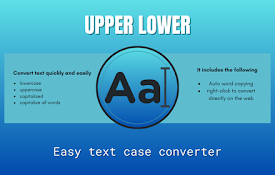
Upper Lower - Text Case Converter
Change a text to uppercase and lowercase quickly a

Uppercase Converter
Converts text into uppercase.This simple extension

Change Case
Convert text case to Sentence case, lower case, UP

Capitalizer
Capitalize title texts without second thoughtsHigh

Change Case
Multiple methods to change text case.The set of ad
Text Case Converter
Converts text to different letter cases such as Up
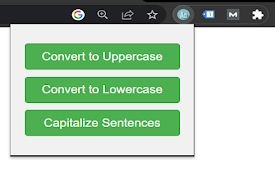
Uppercase & Lowercase Converter
Convert all text to uppercase as well as to lowerc