
PfP: Pain-free Passwords Chrome 插件, crx 扩展下载
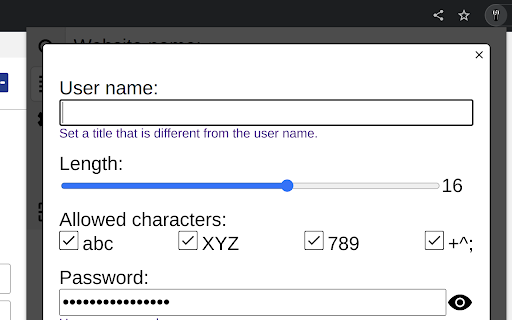
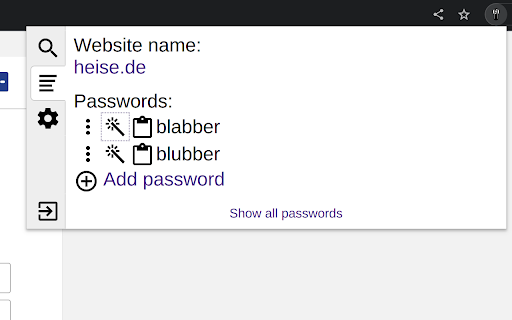
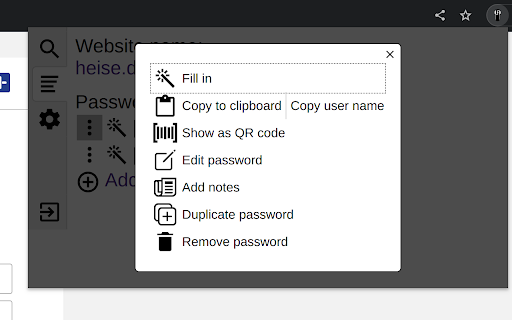
A simple and secure password manager to be used with KeePass databases.
IMPORTANT: This extension can only work if an additional application is installed: https://pfp.works/documentation/installing-native-host/
• Works with KeePass databases via PfP Native Host application.
• Can be used in parallel with KeePass, KeePassXC or similar tools.
• The extension keeps no data, all data stays in the KeePass database file on your hard drive.
• Only becomes active on explicit request, no attack surface towards web pages.
• Passwords are locked automatically after a period of inactivity (configurable).
• Designed to be fully accessible via keyboard.
• Recovery codes can be printed, a secure way to recover passwords after a data loss.
• Free and open source.
Source code / Contributing
The extension source code is available on GitHub: https://github.com/palant/pfp/. See https://pfp.works/contributing/ for more information.
| 分类 | 📝工作流程与规划 |
| 插件标识 | dkmnfejkonkiccilfpackimaflcijhbj |
| 平台 | Chrome |
| 评分 |
★★★★☆
4.4
|
| 评分人数 | 3423 |
| 插件主页 | https://chromewebstore.google.com/detail/pfp-pain-free-passwords/dkmnfejkonkiccilfpackimaflcijhbj |
| 版本号 | 90.0 |
| 大小 | 134KiB |
| 官网下载次数 | 20 |
| 下载地址 | |
| 更新时间 | 2023-05-03 00:00:00 |
CRX扩展文件安装方法
第1步: 打开Chrome浏览器的扩展程序
第2步:
在地址栏输入: chrome://extensions/
第3步: 开启右上角的【开发者模式】
第4步: 重启Chrome浏览器 (重要操作)
第5步: 重新打开扩展程序管理界面
第6步: 将下载的crx文件直接拖入页面完成安装
注意:请确保使用最新版本的Chrome浏览器
同类插件推荐
PfP: Pain-free Passwords
A simple and secure password manager to be used wi

SaferPass: Password Manager
Never forget a password again! SaferPass will make

perc.pass - Password Manager
perc.pass is a simple and secure password manageme

KeyGuard - Password Manager
Experience seamless password management with KeyGu