
Showpad for Gmail Chrome 插件, crx 扩展下载
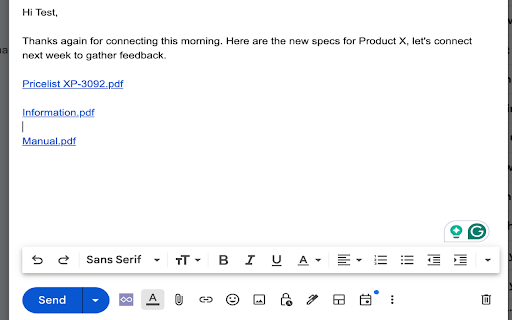

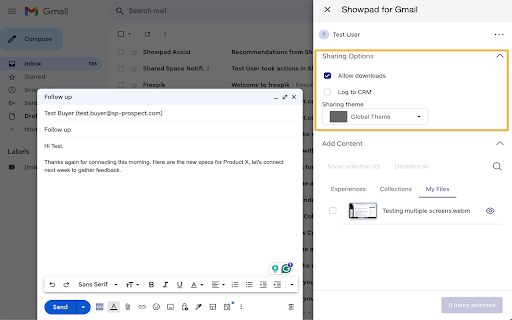
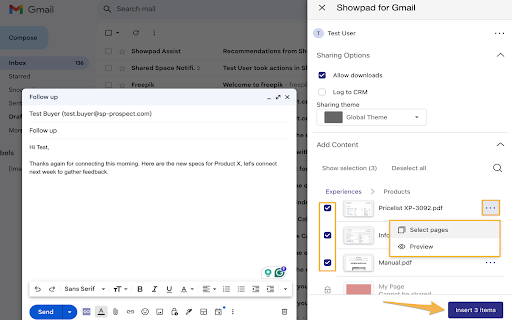
Personalize your interactions in Gmail by adding Showpad Content
Showpad empowers teams to deliver revenue-driving experiences by empowering sales and marketing with relevant content and training to engage buyers.
Showpad for Gmail lets sellers personalize emails sent with the latest on-brand content and track which content actually resonates with their buyers. The Gmail extension allows account teams to work from one platform, increasing their active selling time to investigate new opportunities, engage with buyers, and follow up on ongoing deals. With the latest update, sharing via Gmail feels as intuitive as on the Web app. The new content picker interface mirrors the familiar Showpad experience, making email sharing more natural than ever.
Features included in this integration:
- Email the latest on-brand Showpad content right from Gmail
- Track which content resonates with your buyers in Showpad
- Automatically log all sent emails and interactions with shared content through Gmail in Showpad and any CRM platform
- Seamless and intuitive experience that closely mirrors the Showpad Web app
Showpad for Gmail is available for all Showpad customers.
| 分类 | 📝工作流程与规划 |
| 插件标识 | dnlkpnnglcjooohhgpjhmbcfgahcjbap |
| 平台 | Chrome |
| 评分 |
★★★★☆
4.3
|
| 评分人数 | 75 |
| 插件主页 | https://chromewebstore.google.com/detail/showpad-for-gmail/dnlkpnnglcjooohhgpjhmbcfgahcjbap |
| 版本号 | 4.1.0 |
| 大小 | 13.48MiB |
| 官网下载次数 | 7000 |
| 下载地址 | |
| 更新时间 | 2025-02-14 00:00:00 |
CRX扩展文件安装方法
第1步: 打开Chrome浏览器的扩展程序
第2步:
在地址栏输入: chrome://extensions/
第3步: 开启右上角的【开发者模式】
第4步: 重启Chrome浏览器 (重要操作)
第5步: 重新打开扩展程序管理界面
第6步: 将下载的crx文件直接拖入页面完成安装
注意:请确保使用最新版本的Chrome浏览器
同类插件推荐

ChatGPT for Gmail
Leverage the power of ChatGPT within your Gmail in
Showpad for Gmail
Personalize your interactions in Gmail by adding S
Tables for Gmail™ by cloudHQ
将表格添加到您的电子邮件凭借 cloudHQ 的 Gmail 表格,您现在可以轻松创建一个表格并在大

Resize Gmail Sidebar by cloudHQ
Now you can resize the label column in GmailGmail™