Roblox Den - Roblox Game Codes Chrome 插件, crx 扩展下载
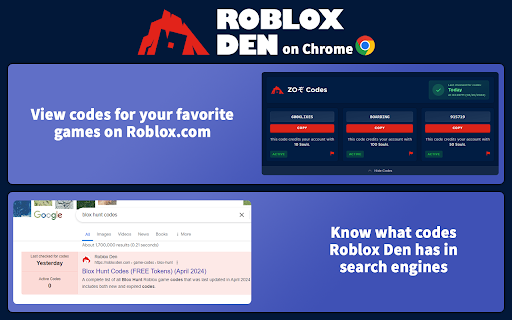
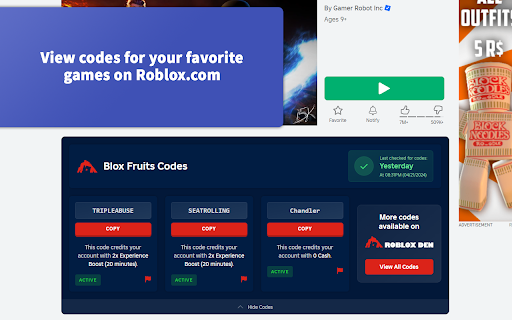
View codes for your favorite games directly on Roblox.com!
Roblox Den is one of the leading Roblox game codes websites and now we've packed all of that goodness into a Chrome extension, meaning you can get what you need without having to visit our website.
If you hate missing codes for your favorite Roblox experiences - and want to save time - then this extension is for you!
The Roblox Den Extension adds a codes preview box to Roblox.com when you're viewing a game that Roblox Den has available codes for. From here, you can easily copy codes to use in-game without having to search the web for codes.
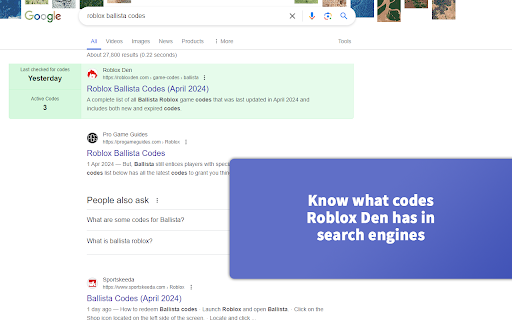
Additionally, it highlights robloxden.com in Bing and Google so that you don't miss us! This feature can be turned off in the extension settings.
| 分类 | 🛠️工具 |
| 插件标识 | dofbhmhaogckjdfclpalkjblnnbpbbda |
| 平台 | Chrome |
| 评分 |
★★★★☆
4.2
|
| 评分人数 | 5419 |
| 插件主页 | https://chromewebstore.google.com/detail/roblox-den-roblox-game-co/dofbhmhaogckjdfclpalkjblnnbpbbda |
| 版本号 | 1.0.17 |
| 大小 | 160KiB |
| 官网下载次数 | 2000 |
| 下载地址 | |
| 更新时间 | 2025-02-05 00:00:00 |
CRX扩展文件安装方法
第1步: 打开Chrome浏览器的扩展程序
第2步:
在地址栏输入: chrome://extensions/
第3步: 开启右上角的【开发者模式】
第4步: 重启Chrome浏览器 (重要操作)
第5步: 重新打开扩展程序管理界面
第6步: 将下载的crx文件直接拖入页面完成安装
注意:请确保使用最新版本的Chrome浏览器