
zPDF—Free Simple PDF Editor Chrome 插件, crx 扩展下载


A Simple PDF Editor: Split pages, Merge, Rearrange, add Signature, Image and Multi-language Text. — Offline and Private.
Easy, Simple, Quick
zPDF was designed for editing PDFs with ease and speed. It currently supports merging documents, rearranging/removing pages, adding images, text, watermarks, and signing documents, etc.
Your Privacy Matters
Supports editing PDF offline, with privacy. All editing is done by client's browser. No need to upload private/sensitive PDF over the Internet to random sites, or processed by AI servers online just for a simple edit.
Unicode Multi-language PDF
Support most languages and with Unicode fonts embeded inside PDF, includes syllabaries languages like Japanese, Korean, Chinese and Arabic, Minimize chances of un-rendered characters ("boxes").
Maintain Structure
Any PDF data not being edited, will all keep in original structures after edit, unlike other editors which may lost structure, fonts or become un-rendered after editing.
Cross-Platform
Designed to be cross-platform for both mobile (Android/iOS) and desktop (Windows/MacOS/Linux). It now works inside browser as PWA or as Chrome/Edge Plugin.
Ongoing Improvement
Will updates the software to enhance functionality. You may contact through email. If you like the program, consider donation for support.
Tutorial for zPDF:
( https://zpdf.zenqlo.com/docs/Edit-PDF/openPDF )
End-User License Agreement (EULA) with PRIVACY POLICY:
( https://zpdf.zenqlo.com/privacy/ )
| 分类 | 🛠️工具 |
| 插件标识 | doffikcfjhomobheencdngekojmmabdn |
| 平台 | Chrome |
| 评分 |
★★★★☆
4.3
|
| 评分人数 | 2575 |
| 插件主页 | https://chromewebstore.google.com/detail/zpdf—free-simple-pdf-edit/doffikcfjhomobheencdngekojmmabdn |
| 版本号 | 1.1 |
| 大小 | 9.74MiB |
| 官网下载次数 | 193 |
| 下载地址 | |
| 更新时间 | 2024-10-17 00:00:00 |
CRX扩展文件安装方法
第1步: 打开Chrome浏览器的扩展程序
第2步:
在地址栏输入: chrome://extensions/
第3步: 开启右上角的【开发者模式】
第4步: 重启Chrome浏览器 (重要操作)
第5步: 重新打开扩展程序管理界面
第6步: 将下载的crx文件直接拖入页面完成安装
注意:请确保使用最新版本的Chrome浏览器
同类插件推荐

zPDF—Free Simple PDF Editor
A Simple PDF Editor: Split pages, Merge, Rearrange

SimplePDF - Edit, Sign and Fill PDF
Edit, sign, and fill PDF without leaving your curr

Smallpdf - 编辑、转换、压缩 PDF 文件并 AI 生成 PDF 摘要
易于使用的 PDF 工具,可在浏览器中压缩、转换、合并、拆分 PDF 文件,并与其进行对话和对其进行
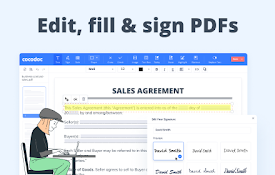
CocoDoc - PDF 编辑器、填充器和转换器
轻松在线编辑、转换、拆分和压缩 PDF。CocoDoc is a comprehensive onl