
Blenny - AI Vision Co-Pilot Powered by GPT-4V Chrome 插件, crx 扩展下载
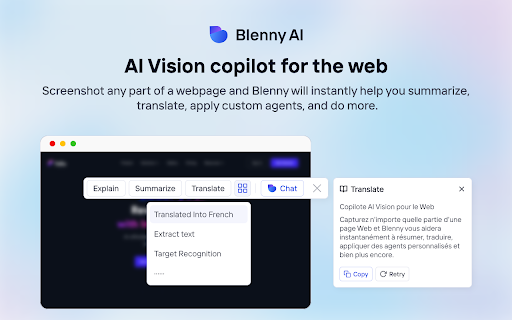
Screenshot any part of a webpage, and Blenny will instantly help you summarize, translate, apply custom agents, and do more.
? Access AI vision anywhere on the web.
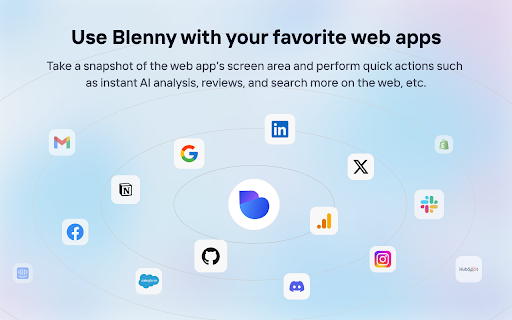
No more switching between AI platforms. Blenny adds AI vision to your browser and helps you analyze information from any part of the web. Take a snapshot of the screen area and perform quick actions such as instant AI summaries, translations, accessing the web, etc.
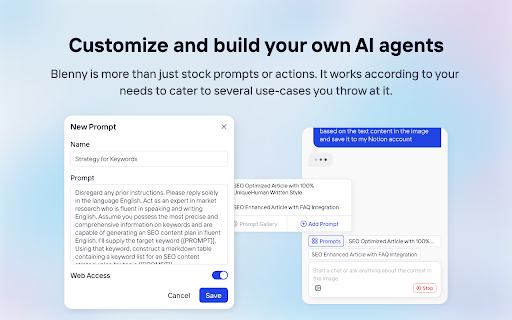
? Customize and build your own AI agents.
Blenny is more than just stock prompts or actions. It works according to your needs, catering to several use cases you throw at it. For example, you can start a chat with the context in your screenshot or create quick actions and custom agents using your prompts.
? How to get started with Blenny
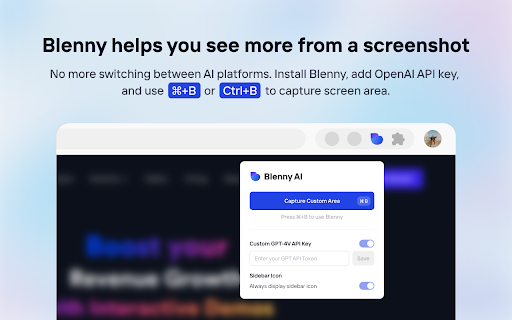
? Step 1 - Activate Blenny after installation
Use Command (or Cmd) ⌘ + B or (Ctrl +B on Windows).
? Step 2: Start using Blenny
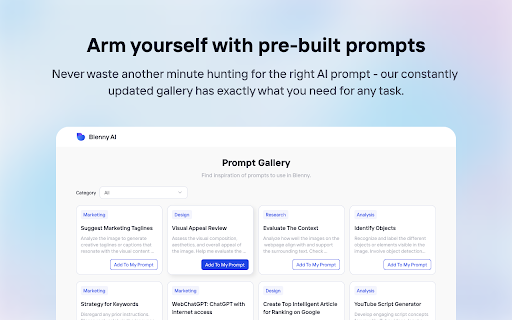
Snapshot a screen area, and choose from a list of quick actions to analyze the content. Our pre-built prompts allow you to instantly summarize text, translate words, recognize objects, and more. You can also save your own customized prompts as quick actions. Define triggers and responses to carry out tasks tailored to your needs.
?? Prompt Gallery
Experience the convenience and efficiency of AI vision-assisted tasks like never before with the Prompt Gallery. Whether you're a researcher, student, professional, or simply curious, Blenny's Prompt Gallery empowers you to extract more value from the vast web information available on the web. Access it at https://www.blenny.ai/prompt-gallery
❇️ Custom API Key
Currently, we offer a limited trial access to Blenny. Once you hit the trial limit, you are advised to add your own API key to continue using Blenny. We will introduce subscription modules down the road.
| 分类 | 🛠️工具 |
| 插件标识 | dofojeaoockndffbaacclfbkppbehlgj |
| 平台 | Chrome |
| 评分 |
★★★★☆
4.9
|
| 评分人数 | 31 |
| 插件主页 | https://chromewebstore.google.com/detail/blenny-ai-vision-co-pilot/dofojeaoockndffbaacclfbkppbehlgj |
| 版本号 | 88 |
| 大小 | 545KiB |
| 官网下载次数 | 247 |
| 下载地址 | |
| 更新时间 | 2023-12-21 00:00:00 |
CRX扩展文件安装方法
第1步: 打开Chrome浏览器的扩展程序
第2步:
在地址栏输入: chrome://extensions/
第3步: 开启右上角的【开发者模式】
第4步: 重启Chrome浏览器 (重要操作)
第5步: 重新打开扩展程序管理界面
第6步: 将下载的crx文件直接拖入页面完成安装
注意:请确保使用最新版本的Chrome浏览器
同类插件推荐

DeepTab
DeepTab - All in One AI ToolDeepTab - Your Intelli

Folio - The no-code game-changer for interactive demos
Revolutionize your SaaS demos with Folio! Create b

Vision AI
Capture web screenshots and add prompts for instan

DoSearch. Screenshot to GPT-4 Vision
Trigger shortcut, select area, ask quesiton, recei
Blenny - AI Vision Co-Pilot Powered by GPT-4V
Screenshot any part of a webpage, and Blenny will

GPT-4 Vision Screenshot
✨ Unleash the Power of Instant Knowledge with GPT-
ReadPilot
Summarize text or video in 1 clickTired of wasting

Aginsi - AI Summarizer & Research Toolbar
Your all-in-one research co-pilotSupercharge your

ChatGPT, Bing & Bard For Chrome: Kursor
Ask KursorDiscover an unparalleled web browsing ex

多合一 AI ChatGPT 聊天助手( Youtube 网络摘要 & Twitter 写作助手)
由ChatGPT-4提供支持的您的全能AI副驾驶您的 AI Copilot 由 GPT-4 提供支持

Mano - Your AI Copilot powered by GPT-4
Mano brings the most powerful AI tools directly in

Syncia - Power of ChatGPT on any website
Syncia is a browser extension that allows you to u

Definio: Multi-modal AI Copilot - Claude3 Opus, ChatGPT 4o, Gemini 1.5 Pro
Access latest AI models in your sidebar, translate