
SAP Sales Cloud for Gmail Chrome 插件, crx 扩展下载
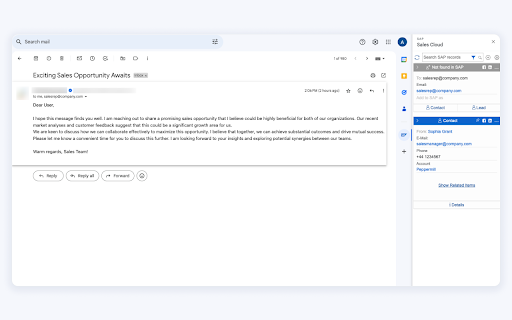
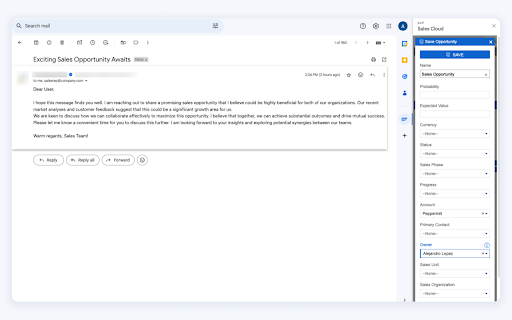
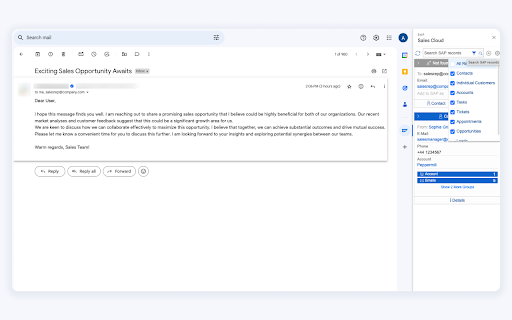
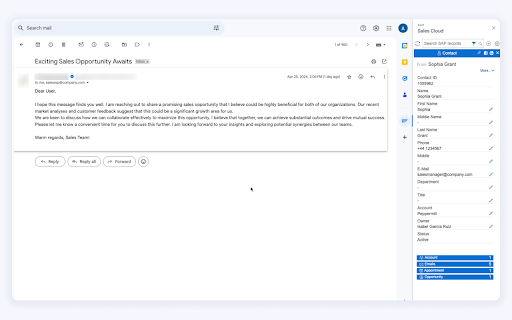
SAP Sales Cloud, server-side integration brings the power of SAP Sales Cloud to your Google mailbox.
SAP Sales Cloud is a one-stop shop for Gmail to SAP Sales Cloud integration that actually works. The highly configurable Sync Engine allows you to log sales data in full auto mode, while the Inbox sidebar will bring entire CRM data right to your fingertips.
Improve sales efficiency by:
- Bi-directionally syncing emails, calendars, contacts, tasks, and attachments between Outlook and SAP Sales Cloud
- Works in full auto, 2 or 1-way, or rule-based modes
- Highly configurable
Boost sales productivity by:
- Working with all the contact-related CRM data directly from the Outlook / Gmail sidebar
- Create SAP Sales Cloud leads, opportunities, tasks, and custom objects without leaving the inbox
- Highly customizable drag-and-drop layout
Enterprise oriented:
- Secure and stable
- Great support and full onboarding assistance
- Supports desktop, cloud, mobile, and all Exchange versions
- Huge integration portfolio
- 10 years on the market
| 分类 | ⚙️功能性 |
| 插件标识 | dpolpgcoaadhofccfkjdknifhofinflb |
| 平台 | Chrome |
| 评分 |
★★★★☆
4.4
|
| 评分人数 | 8284 |
| 插件主页 | https://chromewebstore.google.com/detail/sap-sales-cloud-for-gmail/dpolpgcoaadhofccfkjdknifhofinflb |
| 版本号 | 2502.0.0.90 |
| 大小 | 168KiB |
| 官网下载次数 | 1000 |
| 下载地址 | |
| 更新时间 | 2025-02-19 00:00:00 |
CRX扩展文件安装方法
第1步: 打开Chrome浏览器的扩展程序
第2步:
在地址栏输入: chrome://extensions/
第3步: 开启右上角的【开发者模式】
第4步: 重启Chrome浏览器 (重要操作)
第5步: 重新打开扩展程序管理界面
第6步: 将下载的crx文件直接拖入页面完成安装
注意:请确保使用最新版本的Chrome浏览器
同类插件推荐
SAP Sales Cloud for Gmail
SAP Sales Cloud, server-side integration brings th

ChatGPT for Gmail
Leverage the power of ChatGPT within your Gmail in

Salesforza Gmail Mail Merge & CRM on GSheets
Chrome Extension CRM for Gmail leveraging Google S

Streak CRM for Gmail
Manage sales and customer relationships directly i