
Chrome Color Picker Chrome 插件, crx 扩展下载
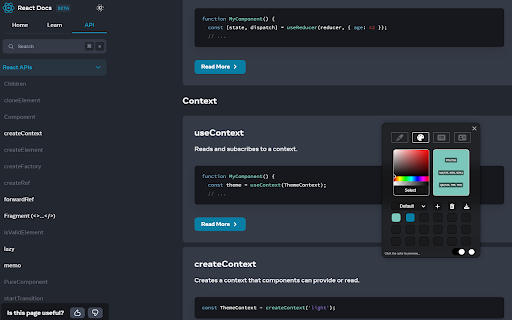
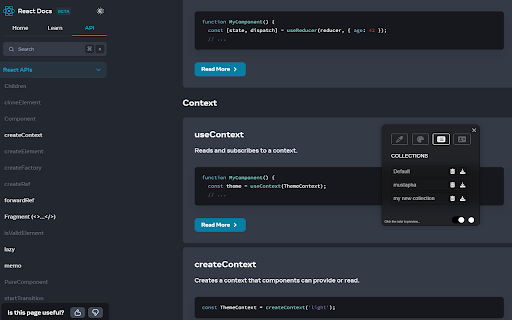




With Color Picker you can pick colors from inside and outside the browser.
With Color Picker you can pick colors from inside and outside the browser.Simply copy the code and paste it for your use. you can costum collections and more...
Here is how to use the Color Picker for Chrome:
✓ After installing visit any webpage from where you want to grab a color code
✓ Then click on the extension icon and it will enable the color picker
✓ Now tap on the desired point and it will give you the info of that color code in HEX, HSL and RGB options
✓ Click on the color code to Copy the code and replicate the same steps to find another color code.
✓ You can create different collections with different colors and download it as excel file.
| 分类 | 💻开发者工具 |
| 插件标识 | eajgjbilafcioiaojbaoodldoomnbnng |
| 平台 | Chrome |
| 评分 |
★★★★★
5
|
| 评分人数 | 4 |
| 插件主页 | https://chromewebstore.google.com/detail/chrome-color-picker/eajgjbilafcioiaojbaoodldoomnbnng |
| 版本号 | 0.1.1 |
| 大小 | 109KiB |
| 官网下载次数 | 267 |
| 下载地址 | |
| 更新时间 | 2023-07-31 00:00:00 |
CRX扩展文件安装方法
第1步: 打开Chrome浏览器的扩展程序
第2步:
在地址栏输入: chrome://extensions/
第3步: 开启右上角的【开发者模式】
第4步: 重启Chrome浏览器 (重要操作)
第5步: 重新打开扩展程序管理界面
第6步: 将下载的crx文件直接拖入页面完成安装
注意:请确保使用最新版本的Chrome浏览器
同类插件推荐

Days Since - Days Count
Counts the days since a given date.Visible Motivat

EwoViewer
A viewer for 3D models.EwoViewer is your gateway t

Calculator
Simple calculator for math operations!Simple calcu

Color Picker
You can easily obtain the color Hex, RGB or HSL of

YouTube 皮肤
YouTube自动跳过广告、影院模式、永久进度条和许多自定义 YouTube 播放器皮肤主题。You

Color Picker for Chrome™
HEX, RGB Color picker, Advanched Eyedropper, Find
#hexPicker — A Simple HEX Color Picker
Effortlessly pick, copy, and save colors in hex fo
Chrome Color Picker
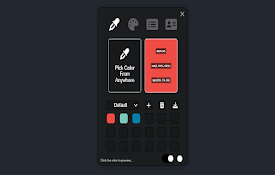
With Color Picker you can pick colors from inside

Color Eyedropper
Pick colors from web pages, color picker and your

Block Sites 2.0
An all-in-one add-on that lets you custom blocklis

Color Picker
Search for the perfect color via an stylish color

Tailwind Color Picker
Tailwind Color Picker allows you to pick a pixel f

颜色选择器和滴管工具
使用滴管从网页中选择颜色。颜色选择器,渐变生成器,色彩调色板。快速获取HEX,RGB颜色。顏色選擇器