
Skypher Chrome 插件, crx 扩展下载
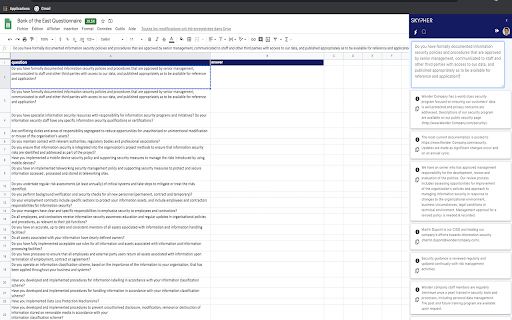
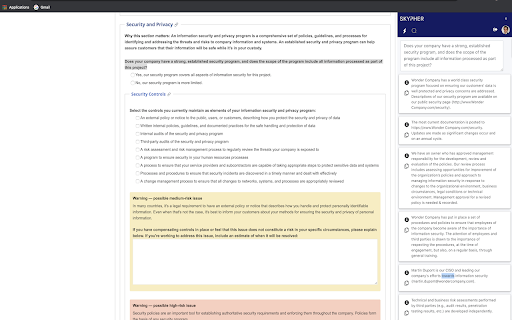
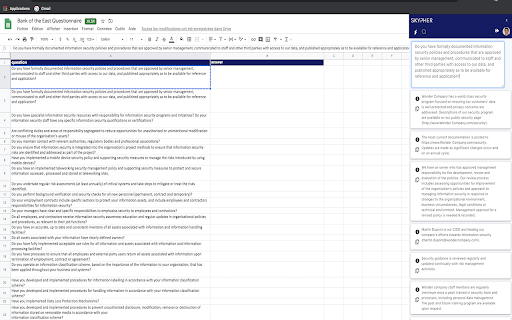
Automate security questionnaires response and make security reviews easier
Skypher automates security questionnaires response in the sales process. Our customers have been reducing questionnaires response time by 75% through our solution.
Skypher intuitive software uses Artificial Intelligence to streamline the way organizations respond to security reviews. We help them to meet the ever-increasing demands of customer and regulatory-driven cybersecurity requirements.
Additionally, with Skypher’s Google Chrome extension, you’ll be empowered with the your security content on any website. This is specially useful to fill out online security questionnaires.
| 分类 | 📝工作流程与规划 |
| 插件标识 | ebemffpakgcodbpmlhclipanbimdcffb |
| 平台 | Chrome |
| 评分 |
☆☆☆☆☆
0
|
| 评分人数 | 1 |
| 插件主页 | https://chromewebstore.google.com/detail/skypher/ebemffpakgcodbpmlhclipanbimdcffb |
| 版本号 | 2.0.4 |
| 大小 | 535KiB |
| 官网下载次数 | 274 |
| 下载地址 | |
| 更新时间 | 2025-02-28 00:00:00 |
CRX扩展文件安装方法
第1步: 打开Chrome浏览器的扩展程序
第2步:
在地址栏输入: chrome://extensions/
第3步: 开启右上角的【开发者模式】
第4步: 重启Chrome浏览器 (重要操作)
第5步: 重新打开扩展程序管理界面
第6步: 将下载的crx文件直接拖入页面完成安装
注意:请确保使用最新版本的Chrome浏览器
同类插件推荐

Skypher
Automate security questionnaires response and make

Kopyst Simplifies Video & Document Creation
Kopyst simplifies guide creation, shares expertise

Lorem Ipsum Generator
Generate Lorem Ipsum text easily. Choose words, se

AI-MultiPrompt
A Web Extension that allows to simultaneously subm

Michael's Upgrade for TrakED
Upgraded features for TrakED in the THS. (This ext

PromptSync
Ask ChatGPT, Bard AI, and Bing Chat with one singl

Weeklee
Weeklee browser extensionWeeklee.ai is the ultimat

GoldDust
Ask a question about a company or a person. If the

GPT Privacy: Anonymize your Chat GPT prompts
Anonymize your Chat GPT prompts and safeguard your

Saverd Recipe Clipper
Save recipes from hundreds of recipe sites right t

The Big Gift List
Easily add items to your 'The Big Gift List

brocrobes
Browser plugin for https://transcrob.esBrocrobes i

Tanuki Utilities
Provide useful utilities for GitLab users.Title ch