
AdBlockia-Ad Blocker for YouTube Chrome 插件, crx 扩展下载
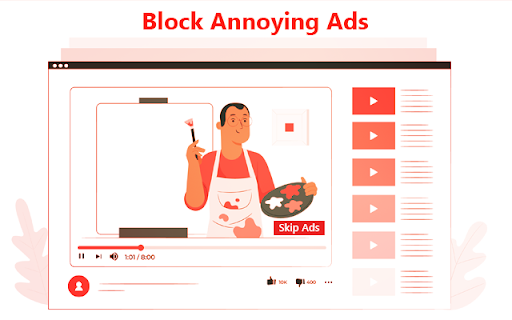
Say Goodbye to YouTube Ads with YouTube Ads Block Unlimited AdBlockia Ads blocker is too good to be shown
Are you tired of the interruptions caused by pesky YouTube ads? Look no further! YouTube Ads Block Unlimited is here to enhance your YouTube experience by eliminating those bothersome advertisements. With this user-friendly ad blocker, you can enjoy your favorite content without any interruptions.
Ad-Free YouTube: Say farewell to unskippable ads, banners, and video interruptions. YouTube Ads Block Unlimited ensures that your videos play seamlessly from start to finish.
Easy Installation: Installing and activating the extension is a breeze. In just a few clicks, you can reclaim your ad-free YouTube experience.
Customizable Settings: Tailor your ad-blocking experience to your preferences. Choose to block specific types of ads or fine-tune your settings for a personalized viewing experience.
Faster Loading Times: By blocking ads, you'll experience faster loading times, allowing you to get to your desired content quicker than ever.
Constant Updates: Our development team is committed to keeping the extension up-to-date and efficient, so you can enjoy uninterrupted YouTube videos with every update.
Why Choose YouTube Ads Block Unlimited:
Whether you're a content creator, a casual YouTube user, or a dedicated viewer, YouTube Ads Block Unlimited is your solution for a smoother, more enjoyable YouTube experience. By eliminating ads, this extension saves you time and offers an uninterrupted viewing experience. Say goodbye to distractions and hello to ad-free YouTube videos.
The process of installing a browser extension can vary slightly depending on the web browser you're using. I'll provide instructions for the most popular web browsers, including Google Chrome, Mozilla Firefox, and Microsoft Edge.
Installing Browser Extensions in Google Chrome:
1. Open Google Chrome.
2. Go to the Chrome Web Store by typing "chrome://extensions/" in the address bar or by clicking the three vertical dots in the top-right corner of your browser, selecting "More tools," and then clicking "Extensions."
3. Search for the extension you want in the Chrome Web Store's search bar.
4. When you find the extension you want, click on it to view more details.
5. Click the "Add to Chrome" button next to the extension's name.
6. A confirmation pop-up will appear. Click "Add Extension."
7. The extension will be downloaded and installed. You'll see its icon in the Chrome toolbar, and it may also open a settings page or provide instructions for how to use it.
Installing Browser Extensions in Mozilla Firefox:
1. Open Mozilla Firefox.
2. Click on the three horizontal lines (menu icon) in the top-right corner, then click "Add-ons."
3. In the Add-ons Manager page, click on "Extensions" in the left sidebar.
4. In the search bar, search for the extension you want.
5. When you find the extension, click the "Add to Firefox" button.
6. A confirmation dialog will appear. Click "Add."
7. The extension will be downloaded and installed. You'll see its icon in the Firefox toolbar.
Installing Browser Extensions in Microsoft Edge:
Microsoft Edge is now based on Chromium, the same engine as Google Chrome, so the process is similar:
1. Open Microsoft Edge.
2. Click the three horizontal dots (menu icon) in the top-right corner.
3. Select "Extensions" from the menu.
4. In the Extensions page, click "Get extensions from Microsoft Store" or "Get extensions from other stores" (the latter option will take you to the Chrome Web Store).
5. Search for the extension you want and click on it to view more details.
6. Click "Get" or "Add to Chrome" (depending on the source).
7. Follow the on-screen instructions to install the extension.
Disclaimer: Please note that using ad blockers may affect the revenue of content creators on YouTube. Consider supporting your favorites creators by whitelisting their channels if you find their content valuable.
Ready to enjoy YouTube without interruptions? Install YouTube Ads Block Unlimited now and start your ad-free journey today!
| 分类 | 🛠️工具 |
| 插件标识 | ecgfbfoabkgopoffohepndadjfcncdlc |
| 平台 | Chrome |
| 评分 |
★★★★☆
4.5
|
| 评分人数 | 805 |
| 插件主页 | https://chromewebstore.google.com/detail/adblockia-ad-blocker-for/ecgfbfoabkgopoffohepndadjfcncdlc |
| 版本号 | 1.0 |
| 大小 | 9.75KiB |
| 官网下载次数 | 103 |
| 下载地址 | |
| 更新时间 | 2023-11-21 00:00:00 |
CRX扩展文件安装方法
第1步: 打开Chrome浏览器的扩展程序
第2步:
在地址栏输入: chrome://extensions/
第3步: 开启右上角的【开发者模式】
第4步: 重启Chrome浏览器 (重要操作)
第5步: 重新打开扩展程序管理界面
第6步: 将下载的crx文件直接拖入页面完成安装
注意:请确保使用最新版本的Chrome浏览器
同类插件推荐
AdBlockia-Ad Blocker for YouTube
Say Goodbye to YouTube Ads with YouTube Ads Block

YouTube™ 广告拦截器 — best adblocker
适用于 YouTube™ 的隐私保护、安全 Adblock。阻止 YouTube.com 上的广告。

广告拦截器 Chrome - Total Adblock
广告拦截器 Chrome - Total Adblock 是终极广告拦截和弹窗拦截工具。轻松拦截广告

Pie Adblock - The Ad Blocker That Pays You
Pie Adblock blocks ads & pop-ups, plus YouTube