
Close Browser - Schedule the Shutdown of Your Tabs Chrome 插件, crx 扩展下载
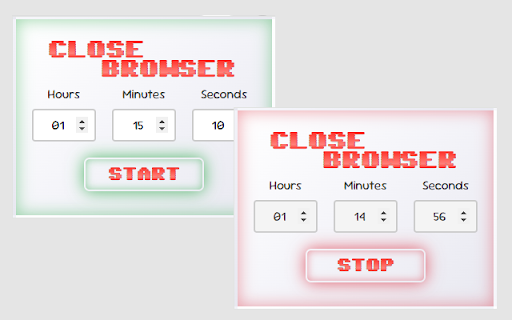
Closes Google Chrome after a configurable amount of time
Close Browser - Schedule the Shutdown of Your Tabs is a Chrome extension that allows you to set a timer to automatically close all Google Chrome windows/tabs after a specified amount of time. Perfect for managing your browsing time and saving energy or when you fall asleep in front of your PC
Features:
- Set a timer in hours, minutes, and seconds.
- Simple and intuitive user interface.
- Easy-to-use start and stop button.
- Button changes color to indicate the state (green to start, red to stop).
Please note that the extension requires permissions to close browser windows.
# Changelog
## Version 2.0
- New Logo
- Core timer functionality with hours, minutes, seconds input
- Visual feedback with color-changing button and container
- Animated extension icon during countdown
- Automatic browser shutdown when timer expires
- Ability to stop timer before completion
- State persistence between browser sessions
Keywords: "automatic closure, timer, time management, energy saving, browsing, tabs, shutdown, close tabs"
| 分类 | 🛠️工具 |
| 插件标识 | ekeedmpgakpcfkioighpeabecijpjban |
| 平台 | Chrome |
| 评分 |
★★★☆☆
3.9
|
| 评分人数 | 94 |
| 插件主页 | https://chromewebstore.google.com/detail/close-browser-schedule-th/ekeedmpgakpcfkioighpeabecijpjban |
| 版本号 | 2.0 |
| 大小 | 59.57KiB |
| 官网下载次数 | 254 |
| 下载地址 | |
| 更新时间 | 2024-12-01 00:00:00 |
CRX扩展文件安装方法
第1步: 打开Chrome浏览器的扩展程序
第2步:
在地址栏输入: chrome://extensions/
第3步: 开启右上角的【开发者模式】
第4步: 重启Chrome浏览器 (重要操作)
第5步: 重新打开扩展程序管理界面
第6步: 将下载的crx文件直接拖入页面完成安装
注意:请确保使用最新版本的Chrome浏览器
同类插件推荐

Time Snatch - Block Websites with Timers
Block websites, control your browsing patterns and

Automatic Tab Opener
Enables the user to set specific times to open a t
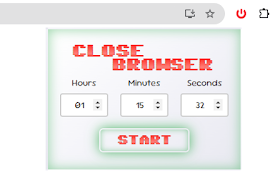
Close Browser - Schedule the Shutdown of Your Tabs
Closes Google Chrome after a configurable amount o

Tab Close Timer
Closes the tab after specified time!Watching YouTu