
Threat Analytics Search Chrome 插件, crx 扩展下载


Use the Context Menu (right click menu) in the browser to conduct single or group searches for selected text.
Threat Analytics Chrome Extension is a tool for Security Analysts, Malware Hunters, and Incident Responders. This extension enables you to use the Context Menu (right click menu) in Chrome to conduct single or group searches for selected text. Most useful scenarios are when you need to search a File Hash, IP Address or Domain across multiple websites at once.
The only requirement is that the Website you are searching provides a way to send parameters either using GET or POST requests. This extension supports both mechanisms.
Threat Analytics is focused on using information to make decisions during event analysis about assets in your organization. During our work with customers, our analysts often use the same websites repeatedly to gather information about File Hashes, IP Addresses, Domains etc.
Also integrates with RSA Security Analytics, NetWitness Investigator, and Carbon Black.
Also supports encoding when the website you are using for your research requires Base64 encoded parameters.
This extension is fully Open Source under Apache 2 license and developed/maintained on GitHub here https://github.com/AdvancedThreatAnalytics/threat-analytics-search
| 分类 | 🛠️工具 |
| 插件标识 | eliokoocofjemjjohafbmhmgjmedomko |
| 平台 | Chrome |
| 评分 |
★★★★★
5
|
| 评分人数 | 5 |
| 插件主页 | https://chromewebstore.google.com/detail/threat-analytics-search/eliokoocofjemjjohafbmhmgjmedomko |
| 版本号 | 5.1.1 |
| 大小 | 5.75MiB |
| 官网下载次数 | 2000 |
| 下载地址 | |
| 更新时间 | 2021-11-25 00:00:00 |
CRX扩展文件安装方法
第1步: 打开Chrome浏览器的扩展程序
第2步:
在地址栏输入: chrome://extensions/
第3步: 开启右上角的【开发者模式】
第4步: 重启Chrome浏览器 (重要操作)
第5步: 重新打开扩展程序管理界面
第6步: 将下载的crx文件直接拖入页面完成安装
注意:请确保使用最新版本的Chrome浏览器
同类插件推荐

OAPivot
OA Pivot enables indicator searching across the le

Threat Analytics Search
Use the Context Menu (right click menu) in the bro
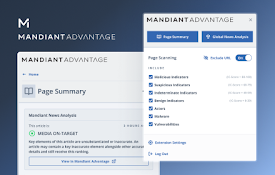
Mandiant Advantage | Threat Intelligence
Provides up-to-the-minute access to Mandiant Threa

Anomali Copilot
Anomali Copilot is the cybersecurity industry'

Recorded Future
The Recorded Future Browser Extension provides rea

ThreatPinch Lookup
Add threat intelligence hover tool tips. IPv4, MD5

Pulsedive Threat Intelligence
Highlight IPs, domains, and URLs on any website to

CrowdScrape
Scrape web content for indicators of interest and

Shodan
The Shodan plugin tells you where the website is h

Perceptual image analysis
Image forensics: testing images for presence of vi

Investigate with Lacework
Faster, more accurate insight into the entire cybe

Sputnik
OSINT web extensionSputnik is an extension to quic

OSIRIS: OSINT Reputation Intelligent Search
Use this extension to analyze IoCs' reputation