
Command Store_ Chrome 插件, crx 扩展下载
Store and manage your commands
Command Store is a tool that helps you store and manage your commands easily.
How to use:
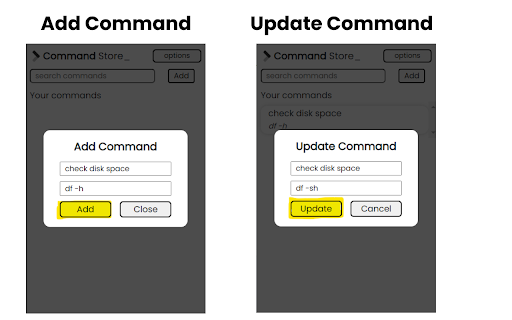
- Add the command and command description by clicking on add button that's it
- Search the command whenever you need
Features:
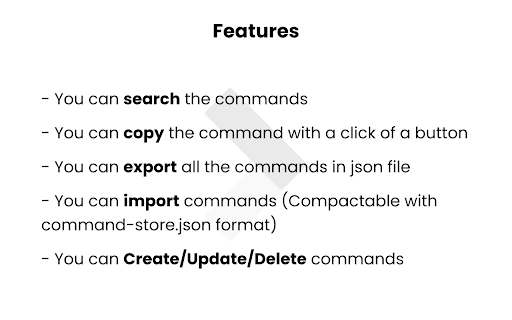
- You can search the commands
- You can copy the command with a click of a button
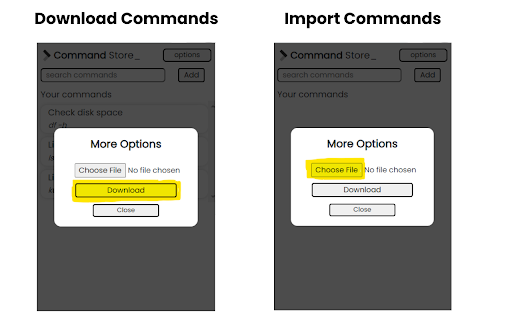
- You can export all the commands in json file
- You can import commands (Compactable with command-store.json format)
- You can Create/Update/Delete commands
Where commands are stored:
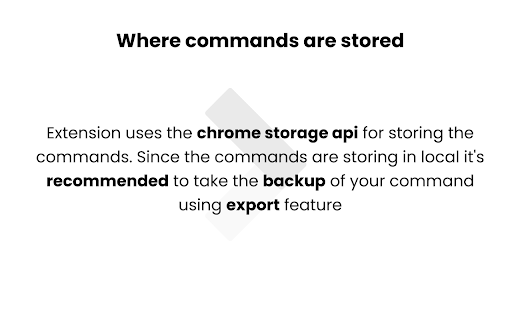
- Extension uses the chrome storage api for storing the commands. Since the commands are storing in local it's recommended to take the backup of your command using export feature
| 分类 | 📝工作流程与规划 |
| 插件标识 | elmaikdajomdbpkdiodlkjcpindnddde |
| 平台 | Chrome |
| 评分 |
★★★★★
5
|
| 评分人数 | 2 |
| 插件主页 | https://chromewebstore.google.com/detail/command-store/elmaikdajomdbpkdiodlkjcpindnddde |
| 版本号 | 1.0 |
| 大小 | 173KiB |
| 官网下载次数 | 26 |
| 下载地址 | |
| 更新时间 | 2023-02-02 00:00:00 |
CRX扩展文件安装方法
第1步: 打开Chrome浏览器的扩展程序
第2步:
在地址栏输入: chrome://extensions/
第3步: 开启右上角的【开发者模式】
第4步: 重启Chrome浏览器 (重要操作)
第5步: 重新打开扩展程序管理界面
第6步: 将下载的crx文件直接拖入页面完成安装
注意:请确保使用最新版本的Chrome浏览器
同类插件推荐

Aquarius CSS Helper
Edit your HTML & CSS style and copy your codeA

Command Finder
One place to store and retrieve all your commandsI

BuyLensAI
BuyLensAI helps you track all your online items wi

URL Manager
This extension helps to quickly access the most us

TabStash
Group your tabs and open them later.Group your tab
Command Store_
Store and manage your commandsCommand Store is a t

Coinverter
Convert any crypto price to fiat on text selection

Dyno Command Palette
Explore Chrome effortlessly with a powerful comman

Command Palette
A command palette to navigate in Google Chrome fas

Convert (crypto)currency
Context menu option to convert selected crypto/fia

Spotlight
View Bookmarks, History, and Tabs within one short

Seshy
Fewer tabs, more focus.Having too many tabs open i

QuickPaste
Quickly paste saved text entriesQuickPaste lets us