
Text Extractor Chrome 插件, crx 扩展下载
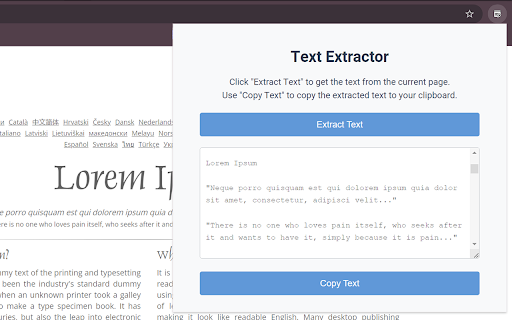

Extracts visible text from web pages and displays it in a field where it can be copied
Text Extractor is a simple and efficient tool for extracting visible text from any webpage. With just a click, the extension gathers all the readable content and displays it in a convenient field, ready to be copied to your clipboard. Whether you're compiling research, organizing notes, or just need to grab content from a web page, Text Extractor makes the process fast and hassle-free.
No more copying text section by section—get everything in one go and streamline your workflow!
| 分类 | 🛠️工具 |
| 插件标识 | enihofloaglndlbpaockonfoehiflmma |
| 平台 | Chrome |
| 评分 |
★★★★☆
4.1
|
| 评分人数 | 21 |
| 插件主页 | https://chromewebstore.google.com/detail/text-extractor/enihofloaglndlbpaockonfoehiflmma |
| 版本号 | 2.0 |
| 大小 | 38.17KiB |
| 官网下载次数 | 331 |
| 下载地址 | |
| 更新时间 | 2024-09-20 00:00:00 |
CRX扩展文件安装方法
第1步: 打开Chrome浏览器的扩展程序
第2步:
在地址栏输入: chrome://extensions/
第3步: 开启右上角的【开发者模式】
第4步: 重启Chrome浏览器 (重要操作)
第5步: 重新打开扩展程序管理界面
第6步: 将下载的crx文件直接拖入页面完成安装
注意:请确保使用最新版本的Chrome浏览器
同类插件推荐
Canvas downloader. Find and export.
Extension helps detect if canvas is used at the we

Regex Extractor
使用正则表达式从网页中提取你需要的文本内容共有三种文本查询模式: 节点模式,搜索HTML节点文本,优
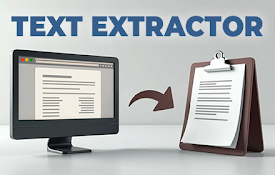
Text Extractor
Extracts visible text from web pages and displays

Web Content Copier
Copy headings and paragraphs from the current webp