
Merge Coffee Game Chrome 插件, crx 扩展下载
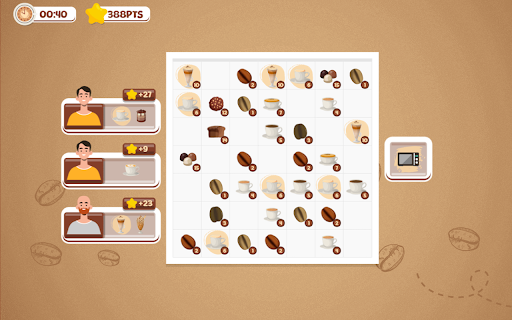

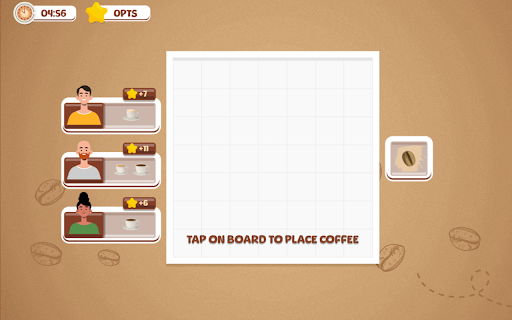
Now you can play Merge Coffee Game right on Chrome™ Browser! Offline and Popup Version, without internet required!
Merge Coffee is an exciting game available as a Chrome Extension. In this timed merging game, players are tasked with placing coffee beans, drinks, and cafe food items onto a grid in order to create the items that customers order. The goal is to merge different items strategically and efficiently to earn as many points as possible within a 5-minute time limit.
As you play Merge Coffee, you'll need to carefully consider your moves and make quick decisions to meet the demands of the customers. By merging the right items, you can create new and more valuable products, which will contribute to increasing your score. The game challenges your ability to think strategically and manage your resources effectively within the given time frame.
Merge Coffee can be played for free on the monkeymart.org website, where you can also find an array of other unblocked games. Whether you're a coffee enthusiast, a puzzle lover, or simply looking for an engaging and fun game to pass the time, Merge Coffee offers an enjoyable and challenging experience for players of all ages. So, get ready to immerse yourself in the world of coffee and test your merging skills in this exciting game!
Note: We have added a list of popular and best games on our website to make it easy for users to access them by clicking on the "More Games" button. When you click on "More Games," a sidebar will appear on the left side of the popup. Alternatively, you can also search for thousands of unblocked games on our website: https://unblockedgames.ee/. Thank you!
| 分类 | 🎮游戏 |
| 插件标识 | enjhobkjefepjmmikomihdapcdilanai |
| 平台 | Chrome |
| 评分 |
★★★★☆
4.2
|
| 评分人数 | 37 |
| 插件主页 | https://chromewebstore.google.com/detail/merge-coffee-game/enjhobkjefepjmmikomihdapcdilanai |
| 版本号 | 1.0.1 |
| 大小 | 9.45MiB |
| 官网下载次数 | 99 |
| 下载地址 | |
| 更新时间 | 2024-02-16 00:00:00 |
CRX扩展文件安装方法
第1步: 打开Chrome浏览器的扩展程序
第2步:
在地址栏输入: chrome://extensions/
第3步: 开启右上角的【开发者模式】
第4步: 重启Chrome浏览器 (重要操作)
第5步: 重新打开扩展程序管理界面
第6步: 将下载的crx文件直接拖入页面完成安装
注意:请确保使用最新版本的Chrome浏览器
同类插件推荐

Merge Coffee Game
Now you can play Merge Coffee Game right on Chrome

Watermelon Game
Play Watermelon Game right on Chrome™ Browser! You
Offline Games - No Wifi Games
Now you can play Offline Games - No Wifi Games rig

Among Us Game
Now you can play Among Us Game right on Chrome™ Br