
Simplemail Chrome 插件, crx 扩展下载
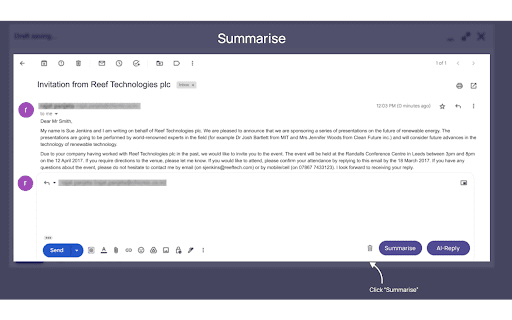
Unlock the power of AI with SimpleMail to write, read, and respond to emails like a pro.
Become a pro at writing, reading, and responding to emails with SimpleMail powered by GPT4. With just a click of a button, you can create a polished and professional email draft! Save time by writing fewer emails and focusing on more important tasks. Let the ChatGPT and GPT4 do the writing for you and summarise long emails into key points.
Simplemail offers the following functions:
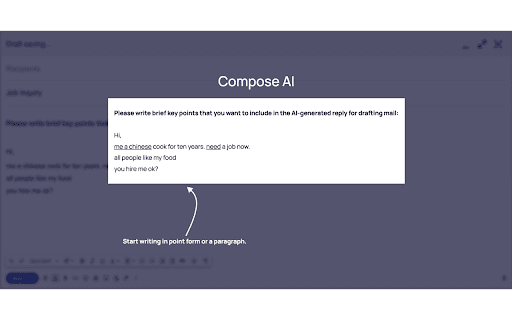
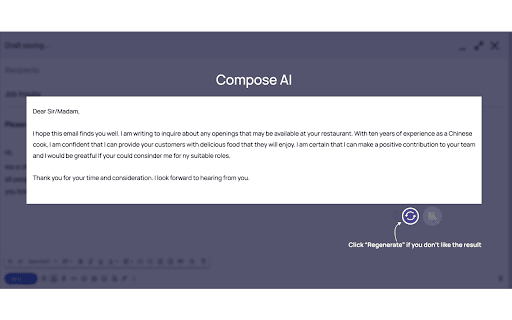
AI Compose
- All you need to do is write point forms without regard to grammar or upper/lower case
- Artificial intelligence will generate a professional email for you
- No grammatical or spelling errors- You may use the refresh button to create another version if you are not satisfied with the original
- Each email written by the AI is unique
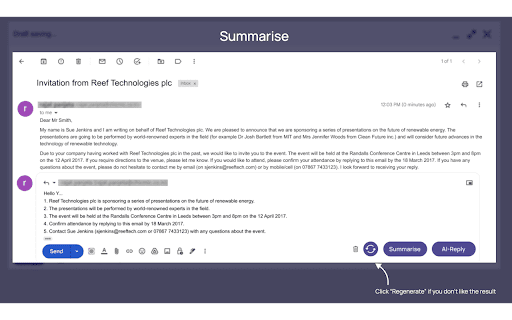
Summarise
- How many long emails do you receive each day? Can you imagine someone reading them and telling you only the most important information?
- With just one click, let the AI summarise the email for you
- Reduces the amount of time, effort, and energy spent reading entire emails
- The summary can be saved as a note, so you do not have to type it
- Simple Mail AI recognizes the most important information
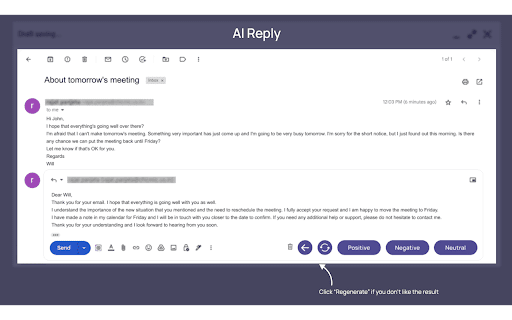
AI Reply Function
- Positive, Negative, or Neutral options are available
- AI drafts an email based on your choice and the email you have received
- If you change your mind, click on a different button to generate a new one
- The AI responds to each of the important points
- Suitable for both personal and professional use
Start your 30-day free trial today!
| 分类 | 📝工作流程与规划 |
| 插件标识 | epaoeoeofbdhoakmlhembafepfjgomme |
| 平台 | Chrome |
| 评分 |
★★★★★
5
|
| 评分人数 | 4 |
| 插件主页 | https://chromewebstore.google.com/detail/simplemail/epaoeoeofbdhoakmlhembafepfjgomme |
| 版本号 | 0.1.6 |
| 大小 | 5.45MiB |
| 官网下载次数 | 807 |
| 下载地址 | |
| 更新时间 | 2023-08-21 00:00:00 |
CRX扩展文件安装方法
第1步: 打开Chrome浏览器的扩展程序
第2步:
在地址栏输入: chrome://extensions/
第3步: 开启右上角的【开发者模式】
第4步: 重启Chrome浏览器 (重要操作)
第5步: 重新打开扩展程序管理界面
第6步: 将下载的crx文件直接拖入页面完成安装
注意:请确保使用最新版本的Chrome浏览器
同类插件推荐
Simplemail
Unlock the power of AI with SimpleMail to write, r

Mailr - AI Email Assistant
A.I. Email Assistant that writes and replies to em

Review Hero, Amazon Product Review Summarizer
Summarizes product reviews using AIReview Hero sum
Ghostwrite: ChatGPT Email Assistant
A ChatGPT powered AI email writing assistant.A Cha
EmoGPT: Secure ChatGPT Email Writer for Gmail
Designed for Gmail and powered directly by your Op

Concisely: Read Any Email in a Sentence
Concisely generates one sentence summaries of your
IntelliMail
Your AI email assistantWant to land an internship,

Scribbly AI: ChatGPT Email Assistant
Scribbly – AI-powered email writing for busy profe

Replix.ai
Replix AI maximizes your online presence to create

Chat with Desksense AI Powered by GPT4
The Ultimate AI Assistant with GPT-4 powered respo

GMPlus - OpenAI ChatGPT For Email: ChatGPT 中文
Display ChatGPT response as a suggestion to comple

AI Email Response Generator - superReply
Let superReply handle the hard work for you with i

AISEO - AI Writing Companion.
Transform your ChatGPT-generated content into natu