
History Deleter by Site Chrome 插件, crx 扩展下载
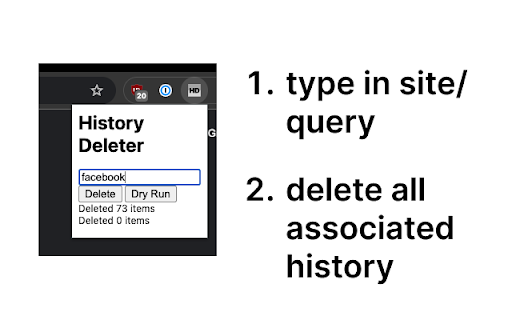
Delete Chrome history for a specific site using keywords or search queries.
This is an extremely simple Chrome extension which lets you delete history using a specific site or keyword. By default, the Chrome history UI only shows you one page of results at a time, and you have to manually keep deleting all the results. This extension automatically deletes history in batches of 100 (max allowed by Chrome search) until there are no results left.
This extension is completely open source and is less than 100 lines of code:
https://github.com/raoneel/history_deleter
| 分类 | 🛠️工具 |
| 插件标识 | epbpmiffmndalihgplljpgaefbohngnl |
| 平台 | Chrome |
| 评分 |
★★★★☆
4.2
|
| 评分人数 | 32 |
| 插件主页 | https://chromewebstore.google.com/detail/history-deleter-by-site/epbpmiffmndalihgplljpgaefbohngnl |
| 版本号 | 1.0 |
| 大小 | 9.12KiB |
| 官网下载次数 | 55 |
| 下载地址 | |
| 更新时间 | 2024-08-26 00:00:00 |
CRX扩展文件安装方法
第1步: 打开Chrome浏览器的扩展程序
第2步:
在地址栏输入: chrome://extensions/
第3步: 开启右上角的【开发者模式】
第4步: 重启Chrome浏览器 (重要操作)
第5步: 重新打开扩展程序管理界面
第6步: 将下载的crx文件直接拖入页面完成安装
注意:请确保使用最新版本的Chrome浏览器
同类插件推荐

Web Filter for Chrome
Web Filter for Chrome extension enables safe web f

Multiple Search and Highlight
Highlight multiple words separated by comma, space

History Deleter by Site
Delete Chrome history for a specific site using ke

Delete Specific Websites History
Quickly deletes specific websites history from you