
YouTube Live Chat UI Optimizer Chrome 插件, crx 扩展下载
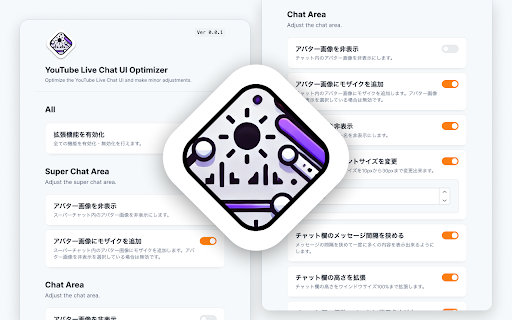
Optimize the YouTube Live Chat UI and make minor adjustments.
This is a browser extension that allows you to customize the UI of YouTube's live chat section.
Firefox version: https://addons.mozilla.org/ja/firefox/addon/youtube-live-chat-ui-optimizer/
■ List of features
・Hide Super Chat avatar images
・Add mosaic to Super Chat avatar images
・Hide chat avatar images
・Add mosaic to chat avatar images
・Hide user names
・Change chat font size
・Narrow message intervals in chat section
・Extend chat section height
・Add background color to even-numbered comments in chat section
| 分类 | 🛠️工具 |
| 插件标识 | faaokhogbnjiododephheedmmjnplppj |
| 平台 | Chrome |
| 评分 |
★★★★☆
4.7
|
| 评分人数 | 5 |
| 插件主页 | https://chromewebstore.google.com/detail/youtube-live-chat-ui-opti/faaokhogbnjiododephheedmmjnplppj |
| 版本号 | 1.0.0 |
| 大小 | 799KiB |
| 官网下载次数 | 139 |
| 下载地址 | |
| 更新时间 | 2024-07-30 00:00:00 |
CRX扩展文件安装方法
第1步: 打开Chrome浏览器的扩展程序
第2步:
在地址栏输入: chrome://extensions/
第3步: 开启右上角的【开发者模式】
第4步: 重启Chrome浏览器 (重要操作)
第5步: 重新打开扩展程序管理界面
第6步: 将下载的crx文件直接拖入页面完成安装
注意:请确保使用最新版本的Chrome浏览器
同类插件推荐
YouTube Live Chat UI Optimizer
Optimize the YouTube Live Chat UI and make minor a

YouTube Squarer
Makes YouTube less round. Slight adjustments to UI

Twitter UI Customizer
TwitterのUIのカスタマイズ性を向上させます!Twitterのボタンの色を白黒から戻したい?

YouTube Refined: Improve's YouTube UI
Updates the Desktop YouTube UI to have rounded cor